Top-Up & Bayar
You can now purchase various digital products, top up your e-Wallet, and pay your bills directly in the Superbank app.
Enjoy easy digital transactions with Superbank!
One app, countless solutions. Top up your e-Wallet, purchase digital products, and pay your bills, all in one place! Fast, secure, hassle-free, and you can use any source of funds of your choice.
Everything you need, all in one app. Take care of your everyday payments and top-ups right in Superbank.
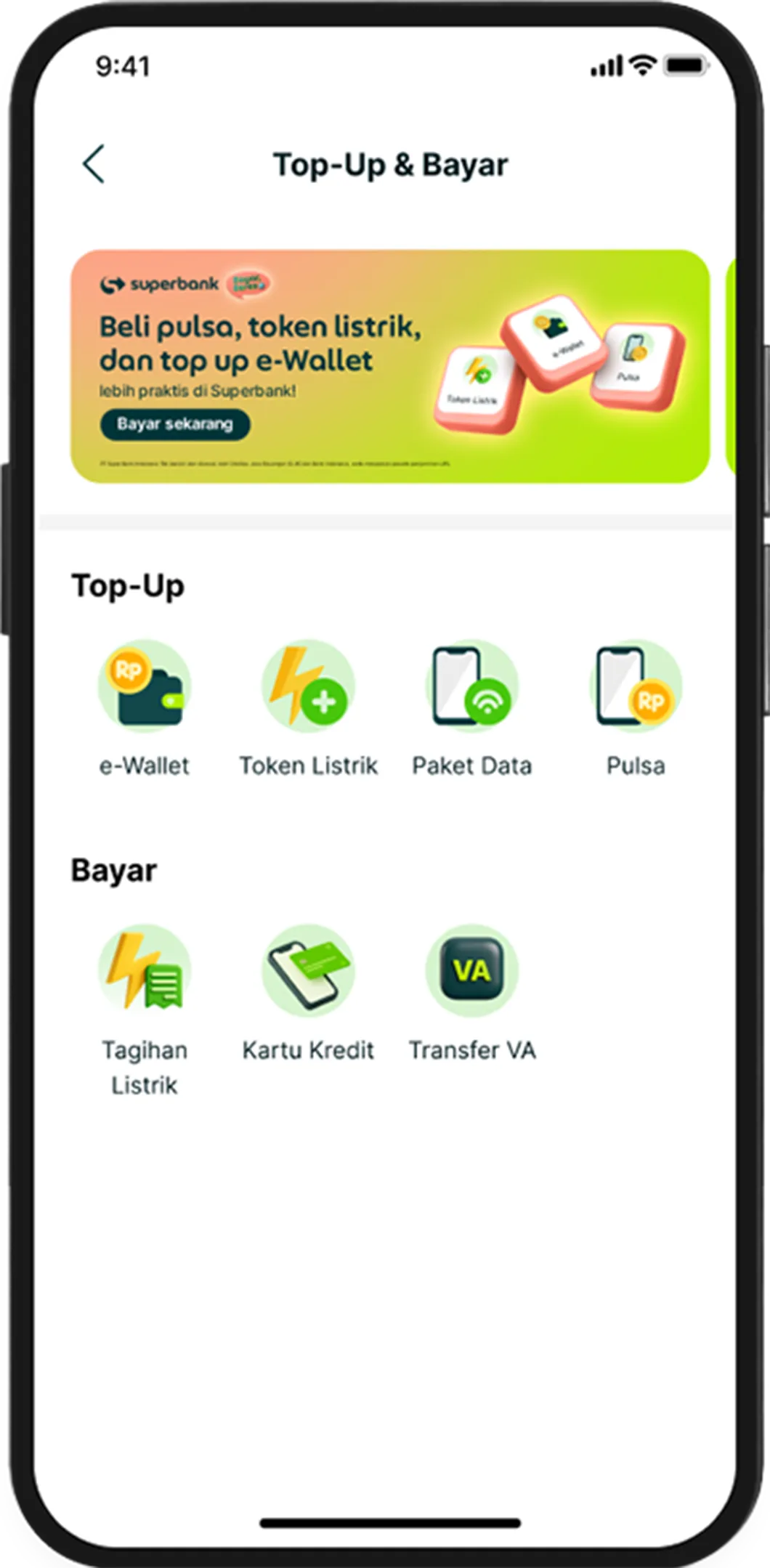

Mobile Credit & Data Packages
Top up your own mobile device or your family's anytime, with ease.
e-Wallet Top-Ups
Add funds to your e-wallets (such as OVO, DANA, Gopay, and others) directly from Superbank.

Electricity Bills & Tokens
Pay your electricity bills or purchase electricity tokens on time.
Transfer to your Virtual Account and Credit Card!
Manage Virtual Account and Credit Card bills easily!
Get started with Top-Up & Bayar in Superbank App Now
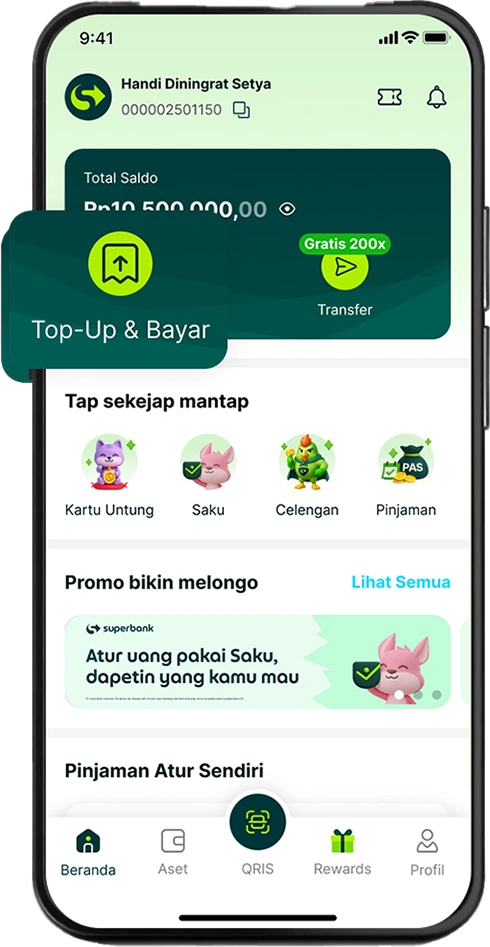
Open Top-Up & Bayar menu.
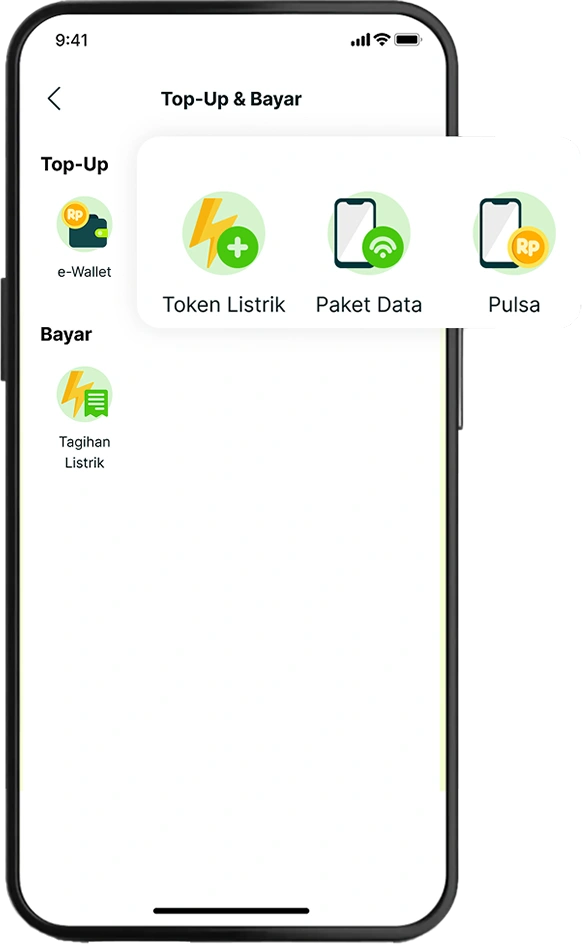
Choose any prepaid product you want. (Mobile Credits, Data Packages, Electricity Token).
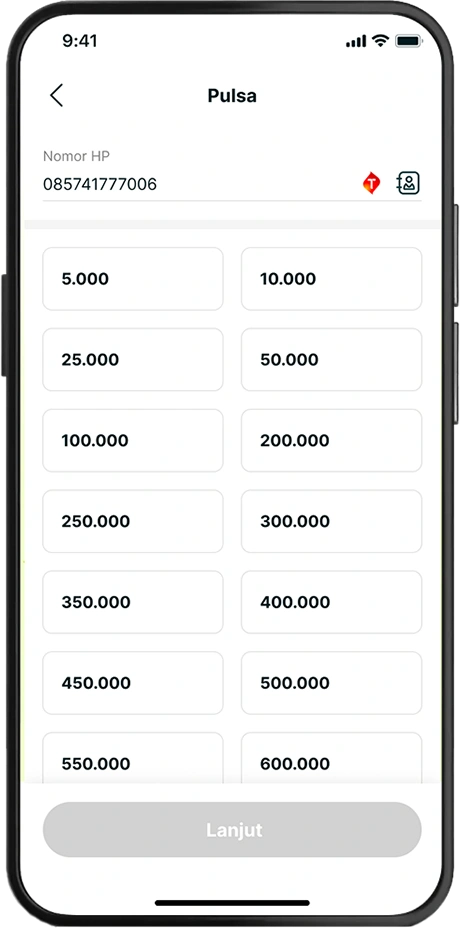
Enter the required number:
a. Mobile Credits & Data Packages: Phone number
b. Electricity Token: Customer Number
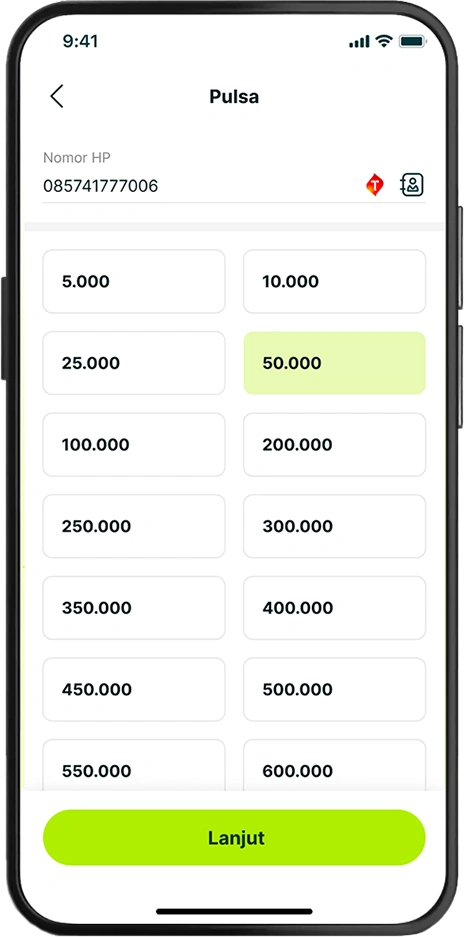
Select your preferred amount or product.
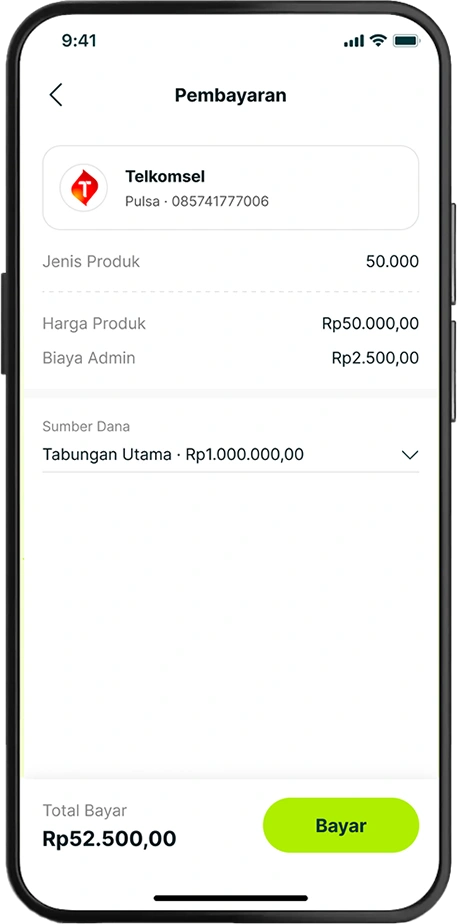
Review your payment details, including admin fees (if any), then choose your Source of Fund.
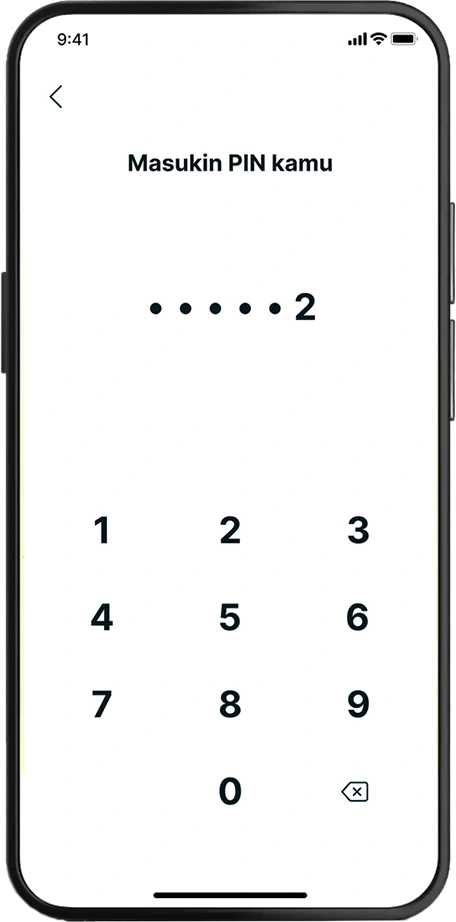
Enter your Superbank PIN.
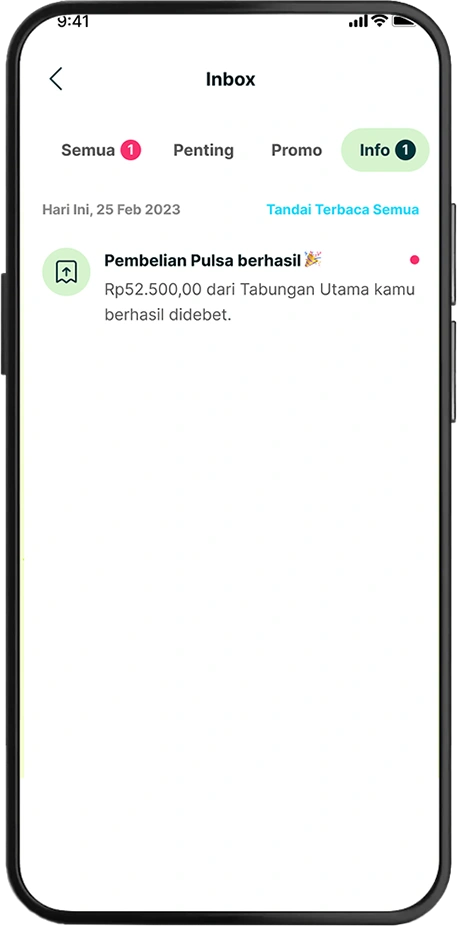
You're all set! Once your payment is successful, you'll receive a confirmation notification right away.
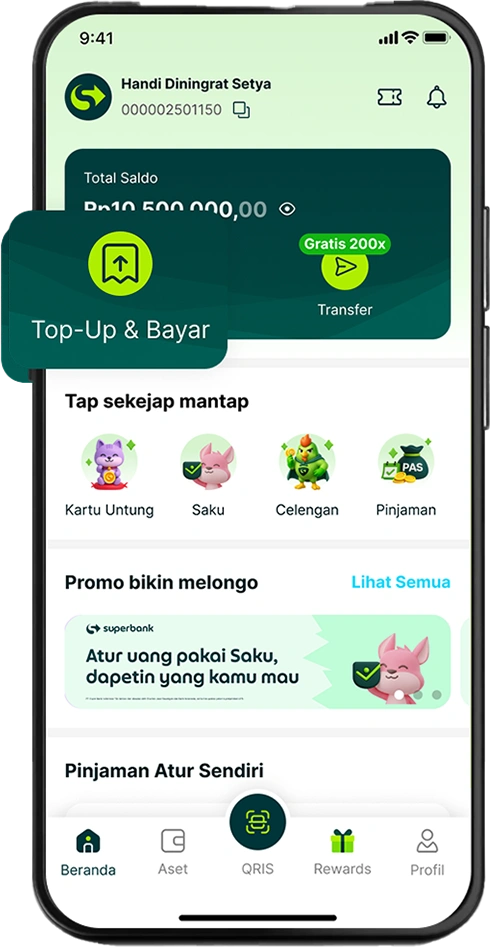
Open Top-Up & Bayar menu.
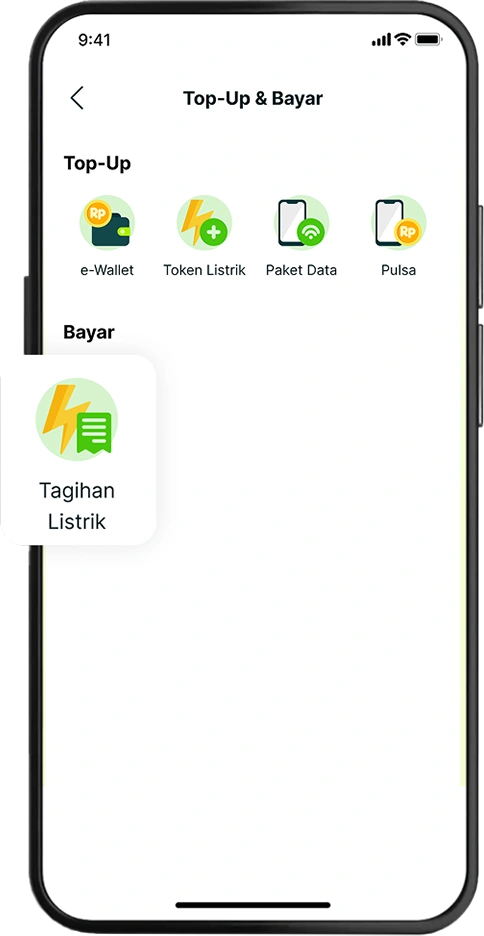
Choose any postpaid product you want.
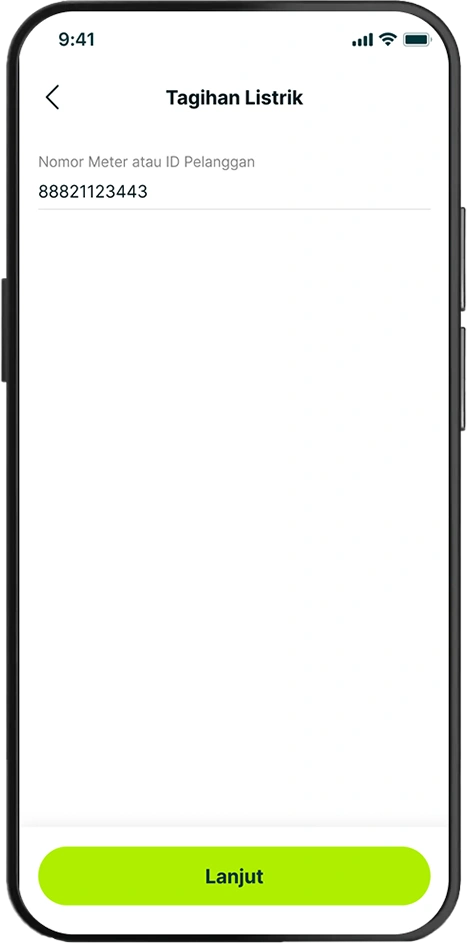
Enter the Customer Number.
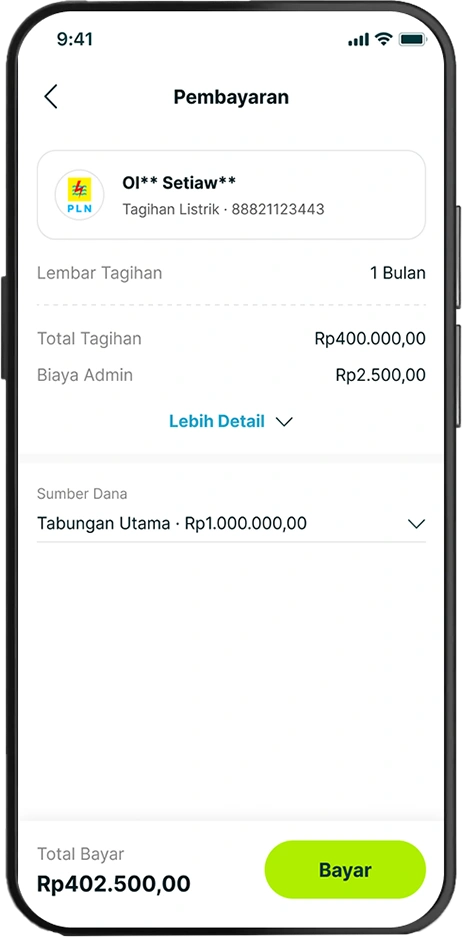
Review your payment details, including admin fees (if any), then choose your Source of Fund.
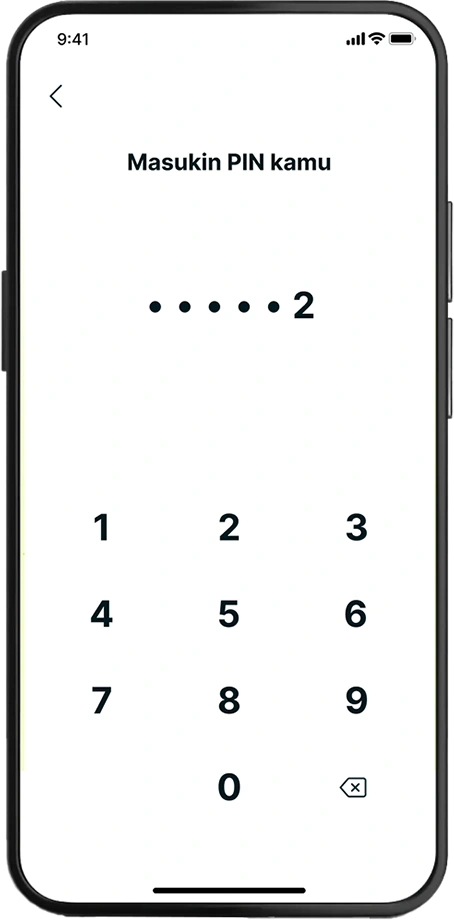
Enter your Superbank PIN.
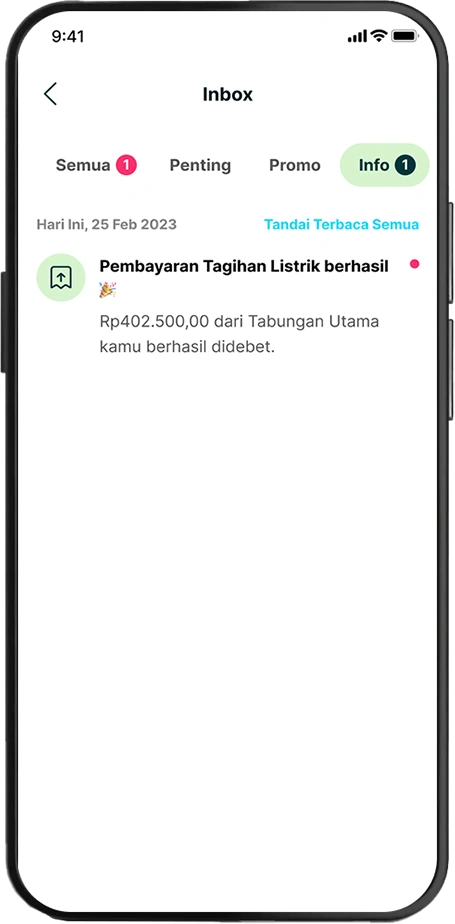
You're all set! Once your payment is successful, you'll receive a confirmation notification right away.
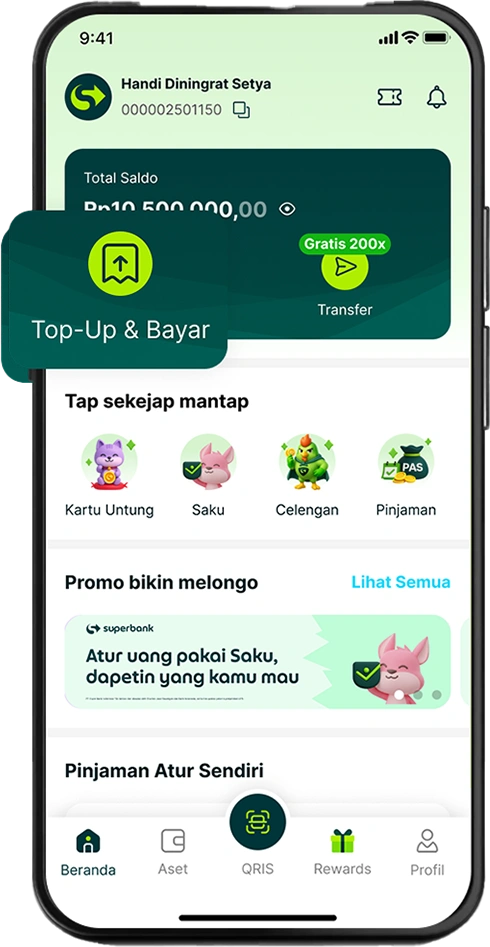
Open Top-Up & Bayar menu.
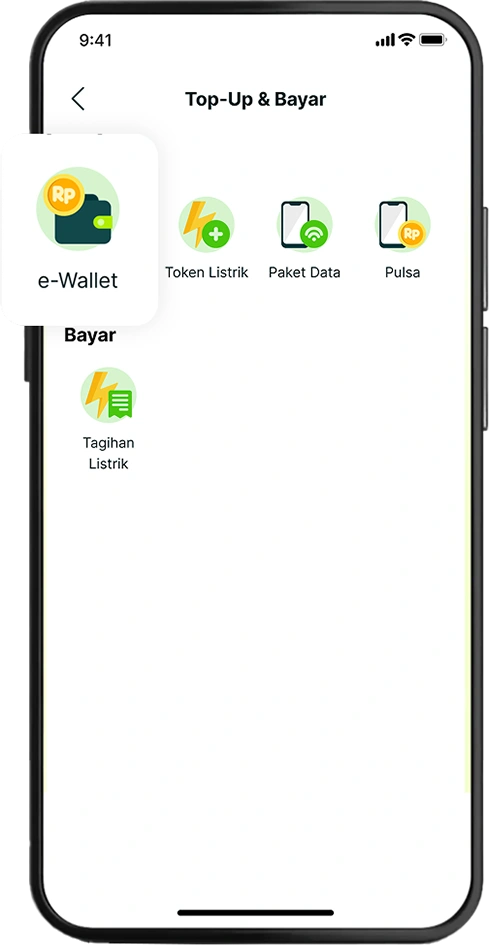
Choose the e-Wallet menu.
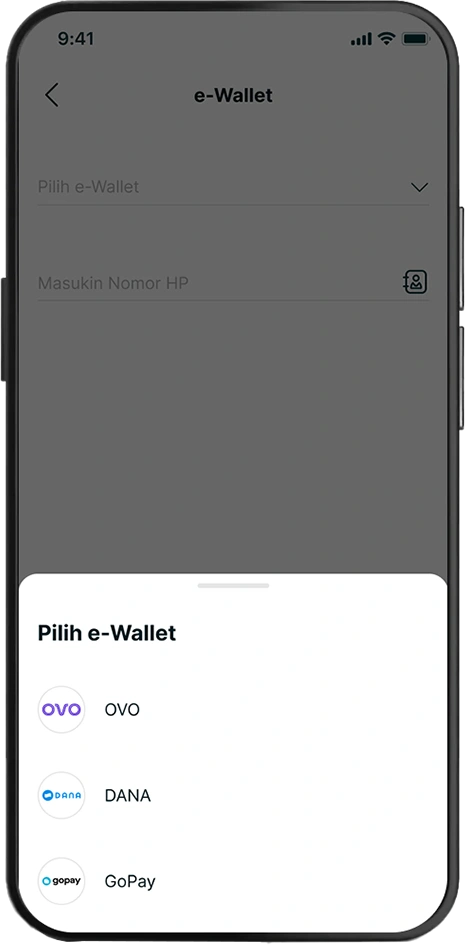
Choose the desired e-Wallet product you want to top-up.
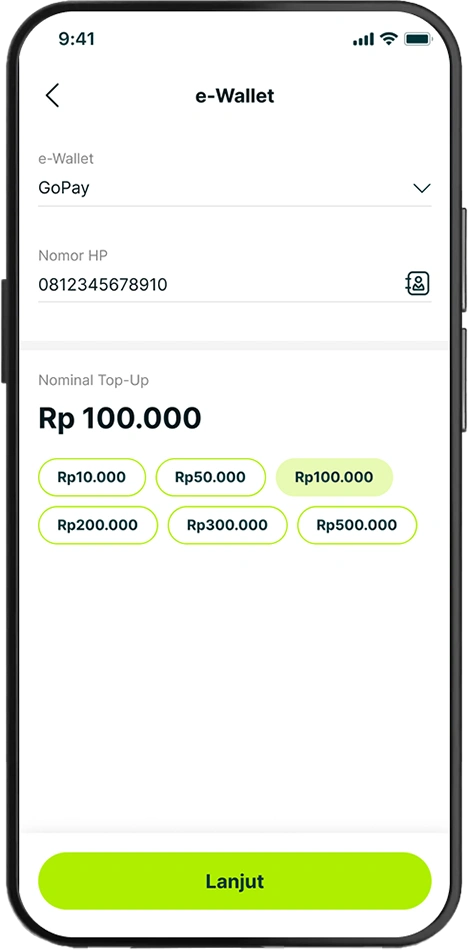
Enter your phone number and your preferred amount, or choose from the provided amount.
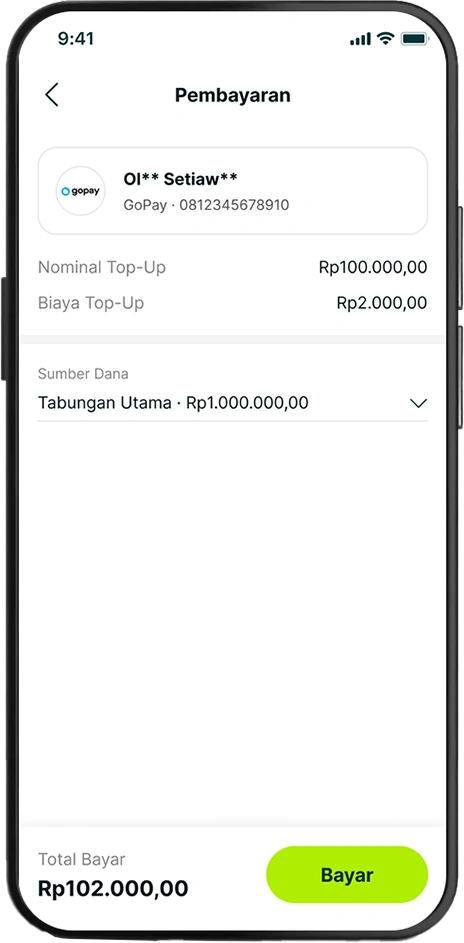
Review your top-up details, including admin fees (if any), then choose your Source of Fund.
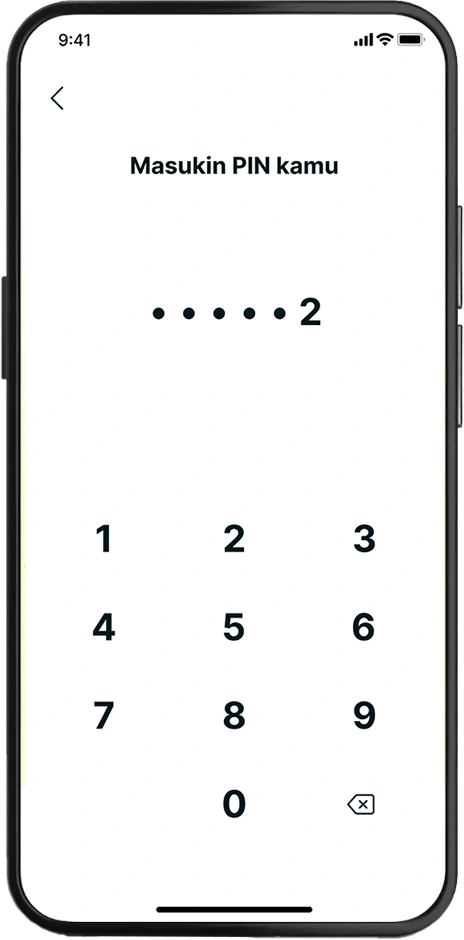
Enter your Superbank PIN.
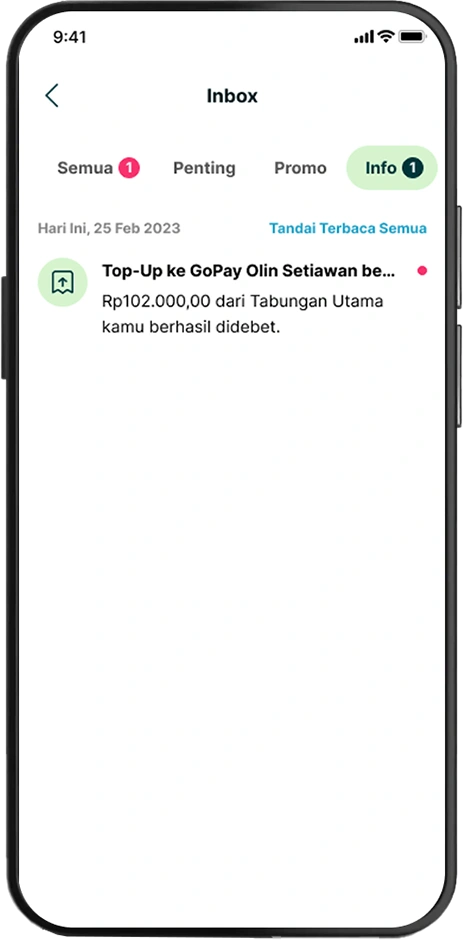
You're all set! Once your payment is successful, you'll receive a confirmation notification right away.
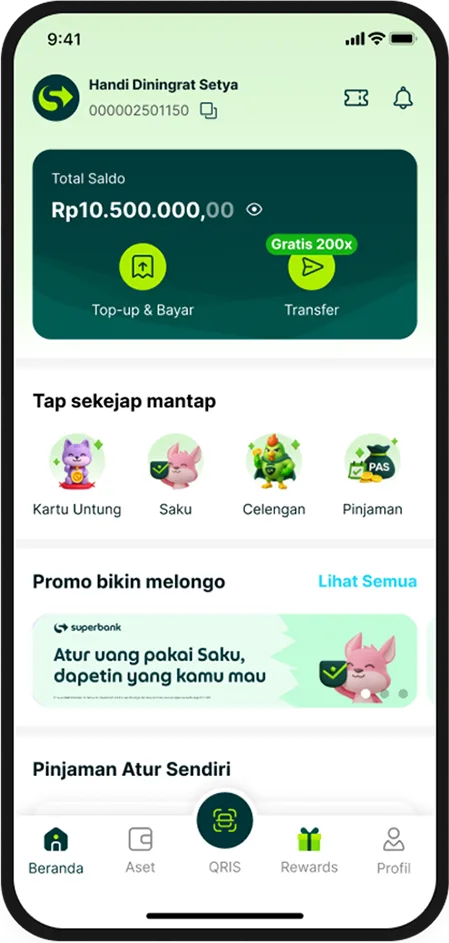
Open Top-Up & Bayar Menu.
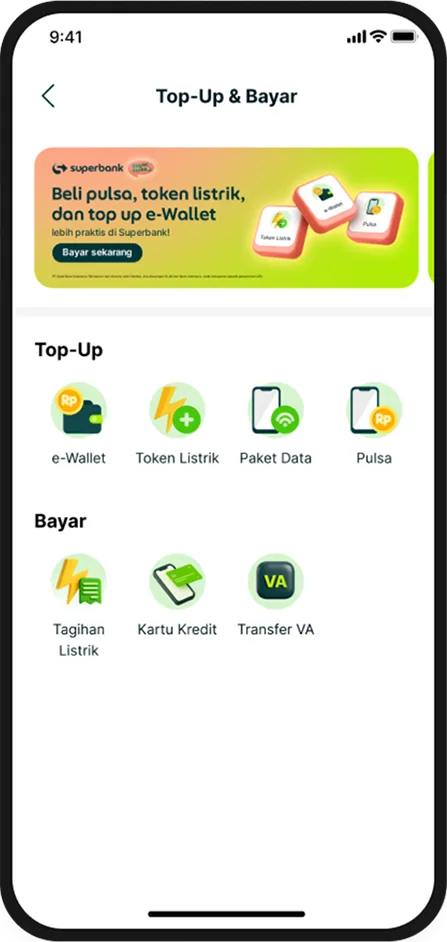
Choose the product you want (Credit Card or Transfer VA).
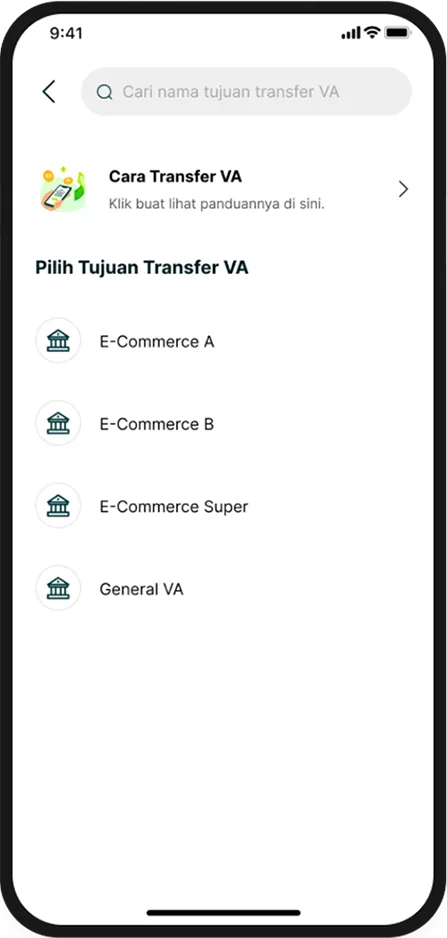
For VA transfers, choose your e-commerce platform.
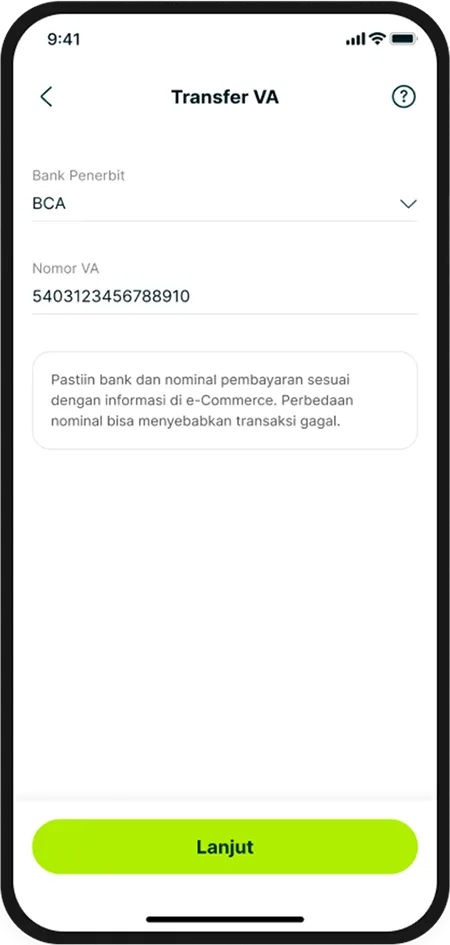
Enter the required number:
a. VA Issuing Bank (as registered on the E-Commerce) or Credit Card Bank.
b. Virtual Account or Credit Card Number.
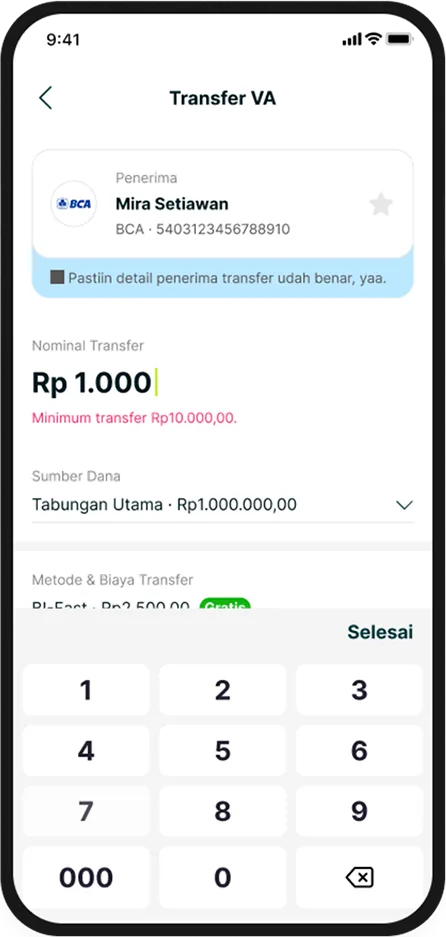
Review your payment details, then choose your Source of Fund.
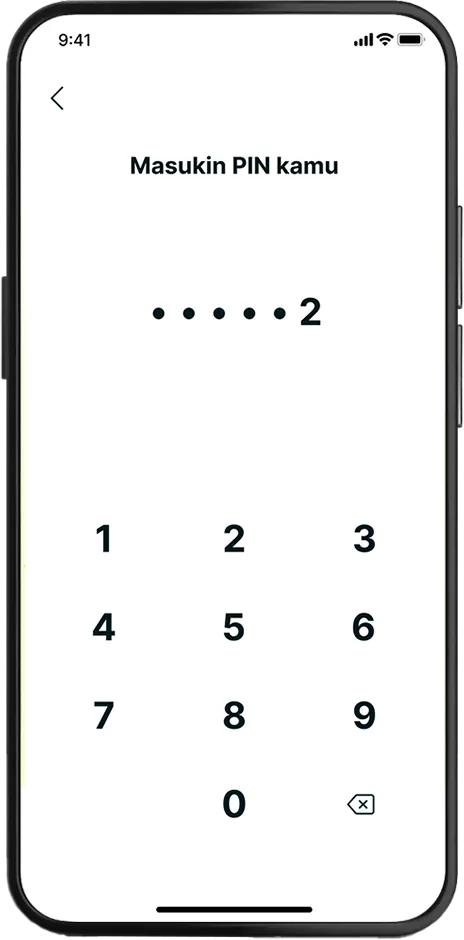
Enter your Superbank PIN.
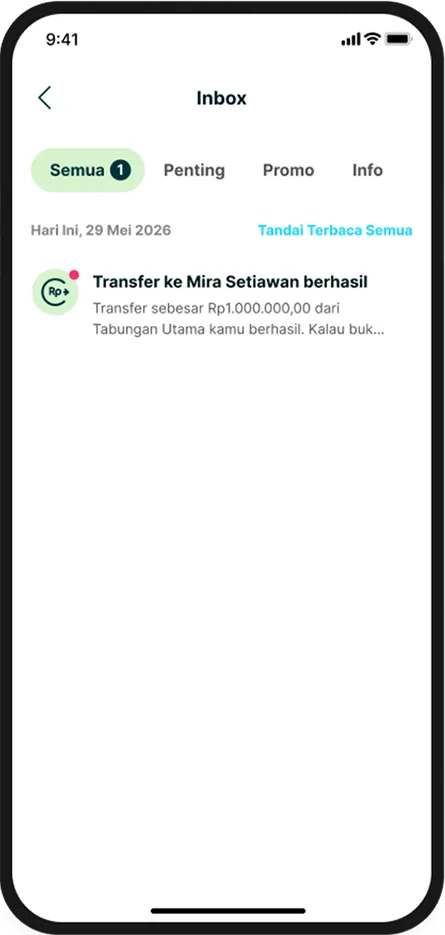
You're all set! Once your payment is successful, you'll receive a confirmation notification right away.