Transfer (BI-Fast & Online Transfer)
It's quick and easy.
Plus, you can score FREE transfer fees!
Enjoy FREE transfers up to 200 times a month with Superbank!
Perfect for interbank transfers with BI-Fast and Online Transfer.
Transfer easily with Superbank
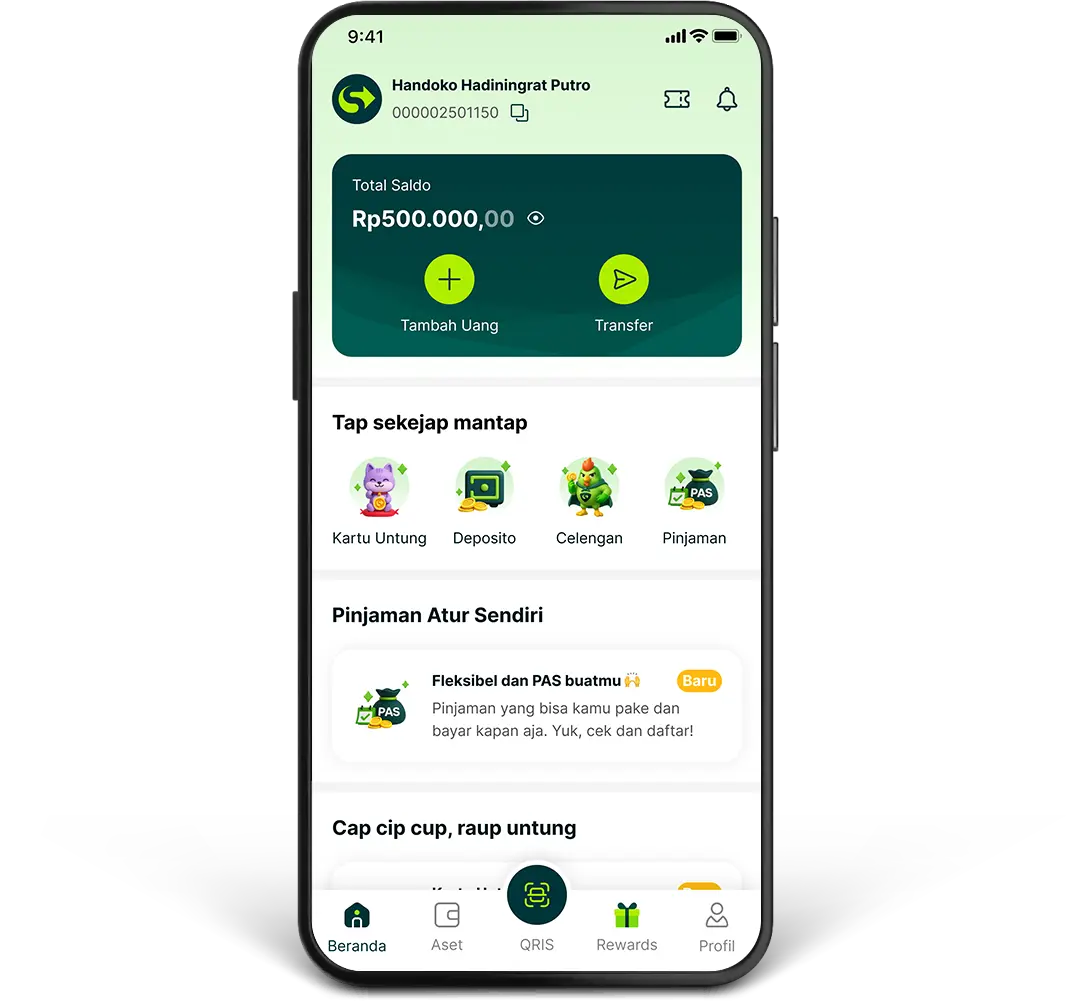
1.
Click “Transfer” on the “Beranda” page in your Superbank app
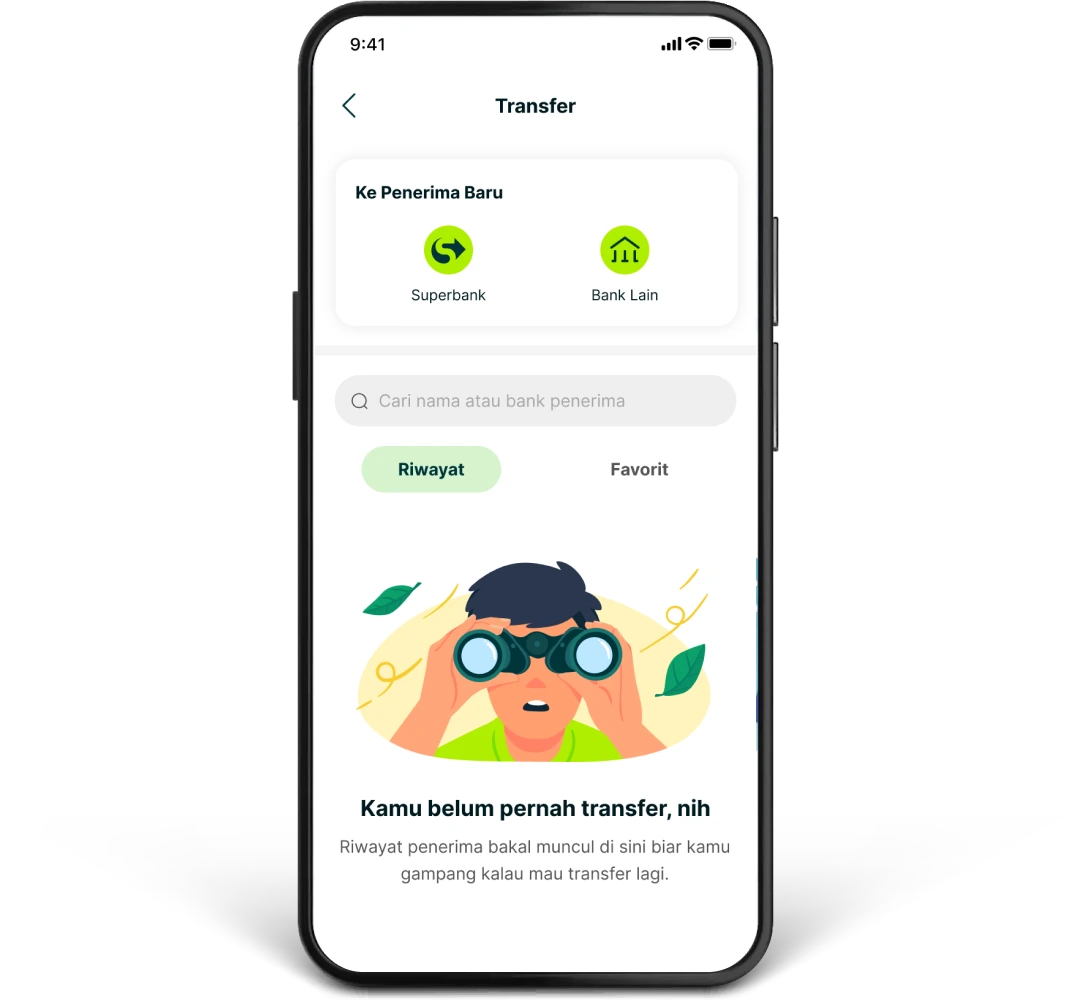
2.
Click “Bank Lain” and select the destination bank for your transfer
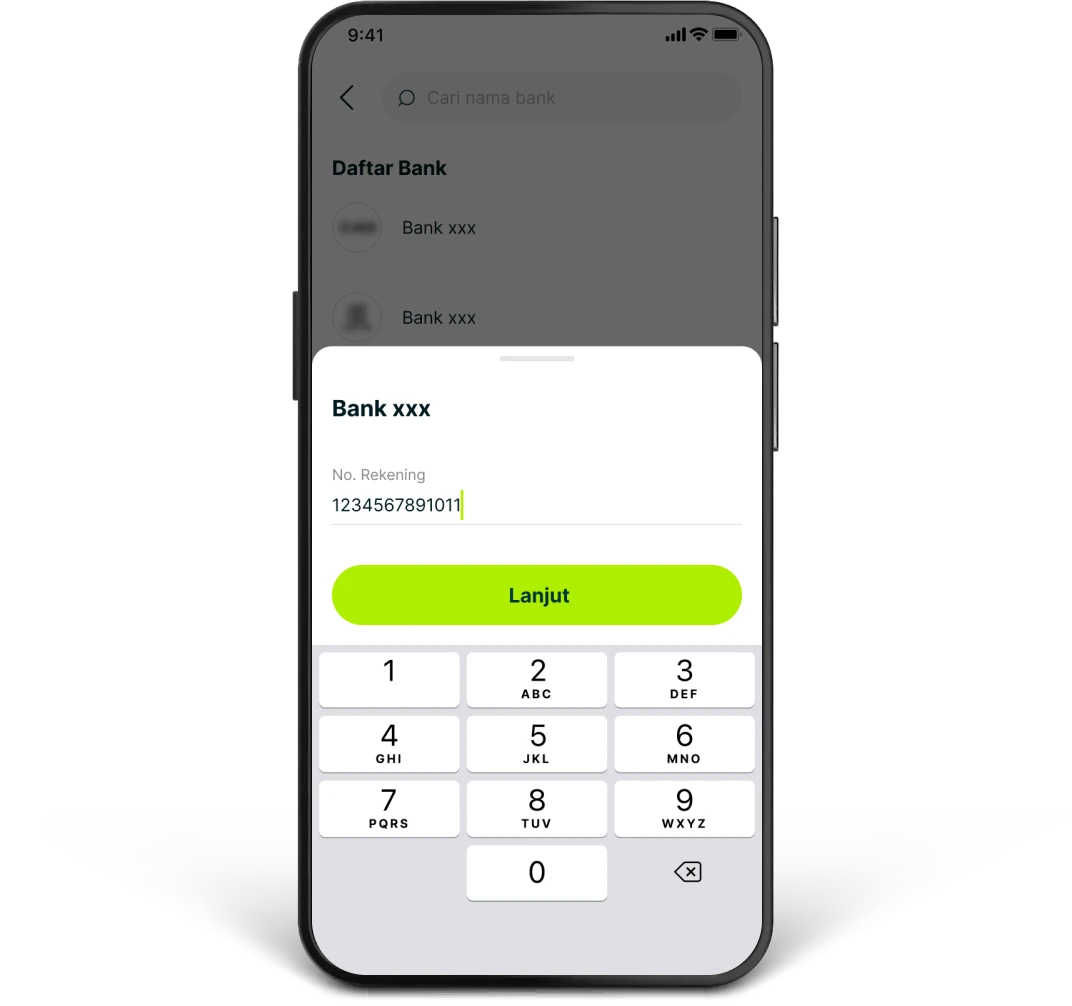
3.
Enter the recipient's account number
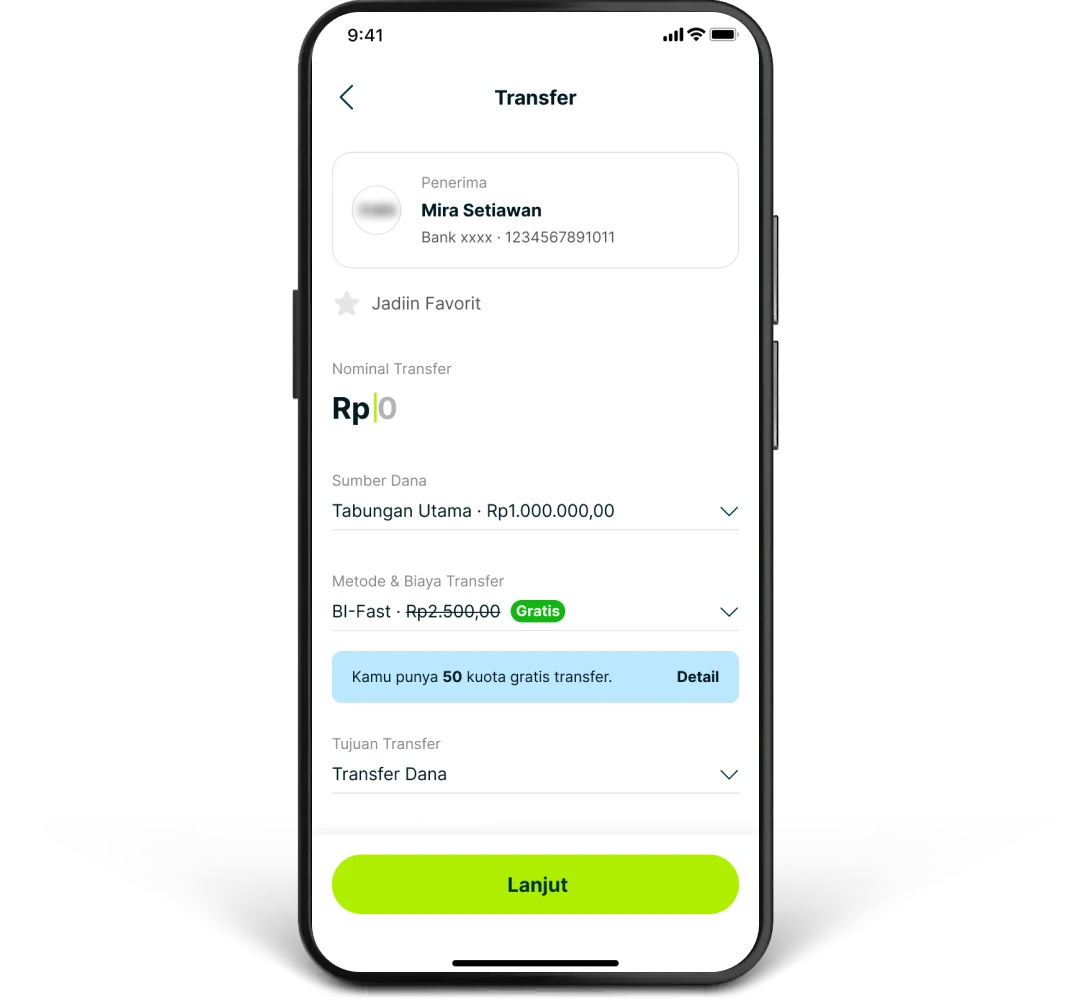
4.
Enter the transfer amount, choose your funding source, and select your payment method. You can also check how many free monthly transfers you have left
5.
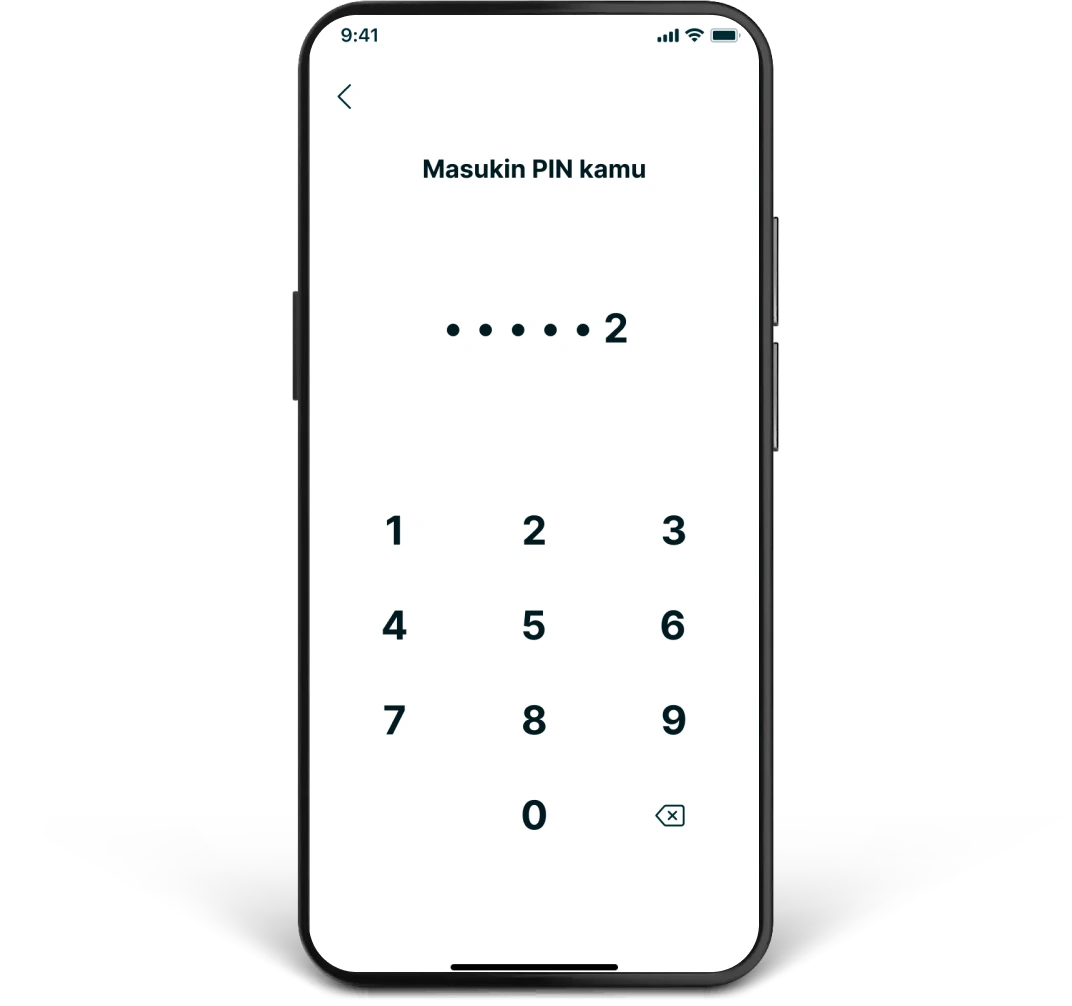
Confirm your payment, then enter your Superbank PIN
6.
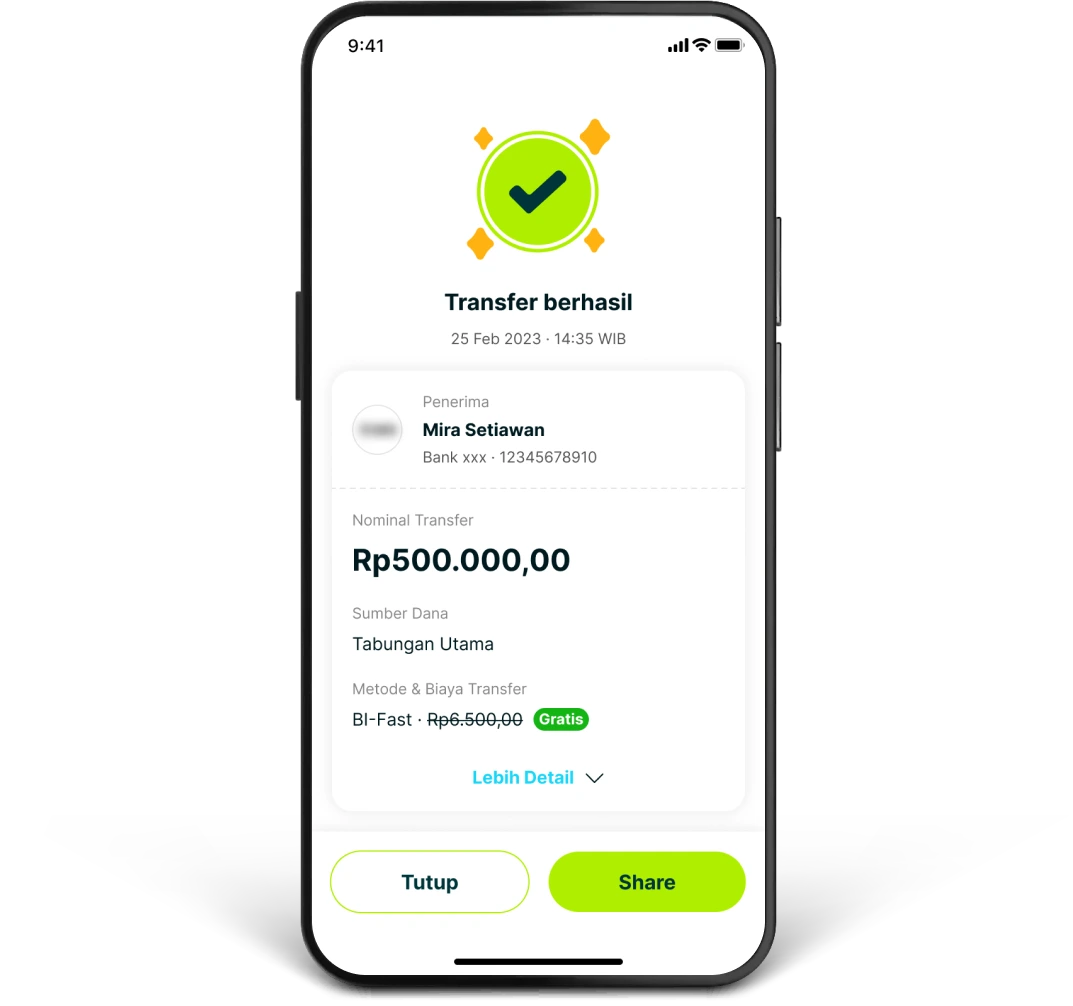
Once your transfer is successful, you'll receive a notification and an email to keep you in the loop