Saku by Superbank
Manage your money.
Make your wishes come true.
Saku by Superbank (‘Saku’) is an additional savings account connected to your Main Savings Account; designed to help you separate, manage, and save more easily. From daily needs to big plans, you can manage everything in a more organized way while still profiting with interest up to 5% p.a. (per annum).
Please pay attention to the deposit insurance interest rate set by LPS. Savings with interest rates exceeding the guaranteed rate are not covered by LPS.
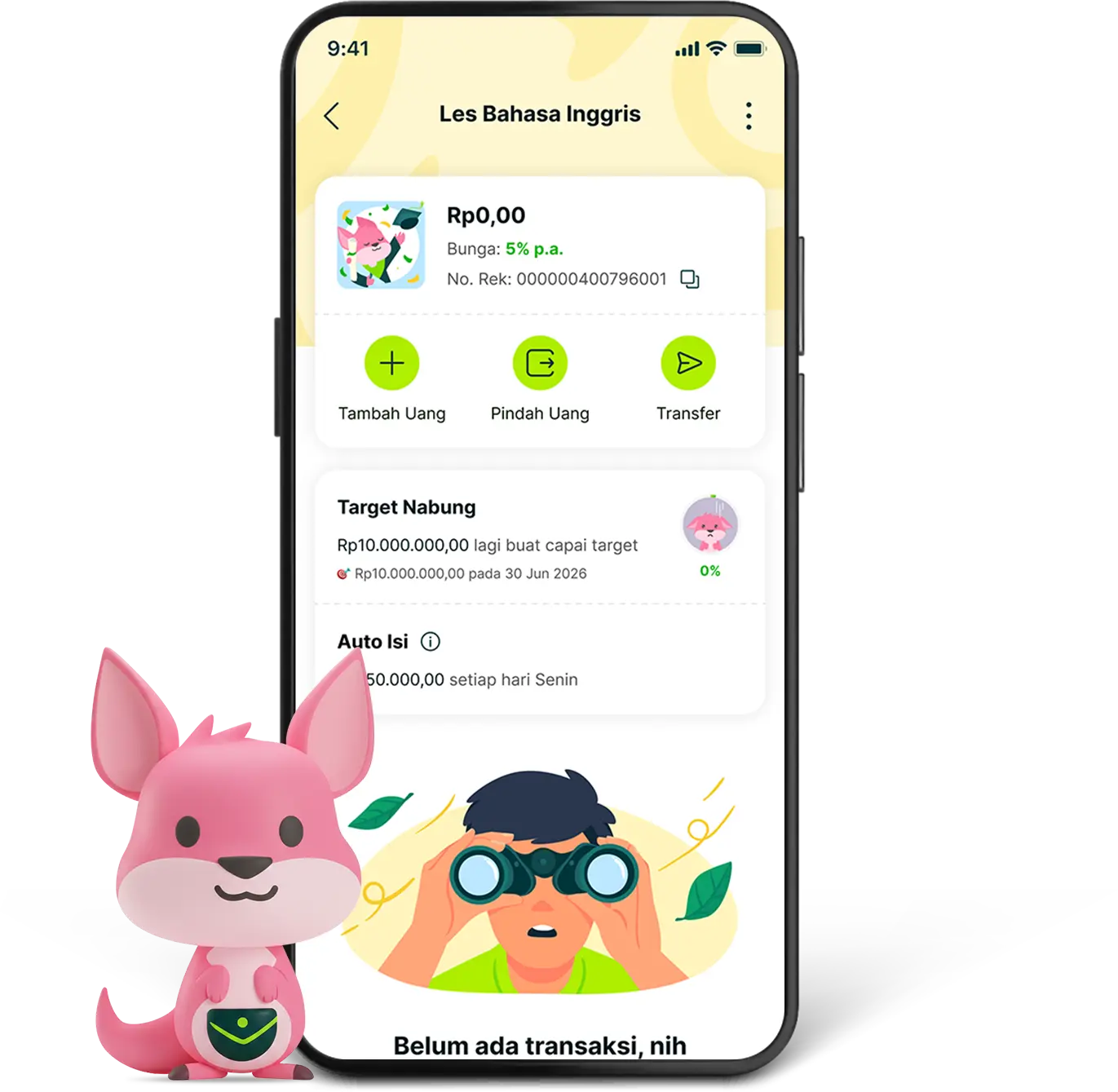
From the routine to what you`ve been waiting for
Does your paycheck often pass through quickly because all your savings are mixed?
With Saku, you can start separating money according to your needs:
- Monthly bills to keep them secured
- Food and coffee budget without going over
- Vacation savings that you always look forward to
- Shopping wishlist or dream gadgets
- Savings for big plans such as a dream wedding
So you can still plan starting now, without disturbing future plans.
More organized, without any hassle
Create up to 30 (thirty) Saku according to your needs, from the necessary ones to the ones you dream of. Give it a name that matches your goal, choose your favorite icon, or directly use the available templates to get started faster.
Keep saving automatically, without thinking constantly about it.
Having a plan is easy, consistency is hard. With Auto Isi, you can set up automatic daily, weekly, or monthly savings. Little by little, you are surely getting closer to your goal.
Have a goal, be more focused
Saving without a target often feels like you are going nowhere. With Target Nabung, you can determine the amount and time you want to achieve. So you can see the progress of your savings from time to time.
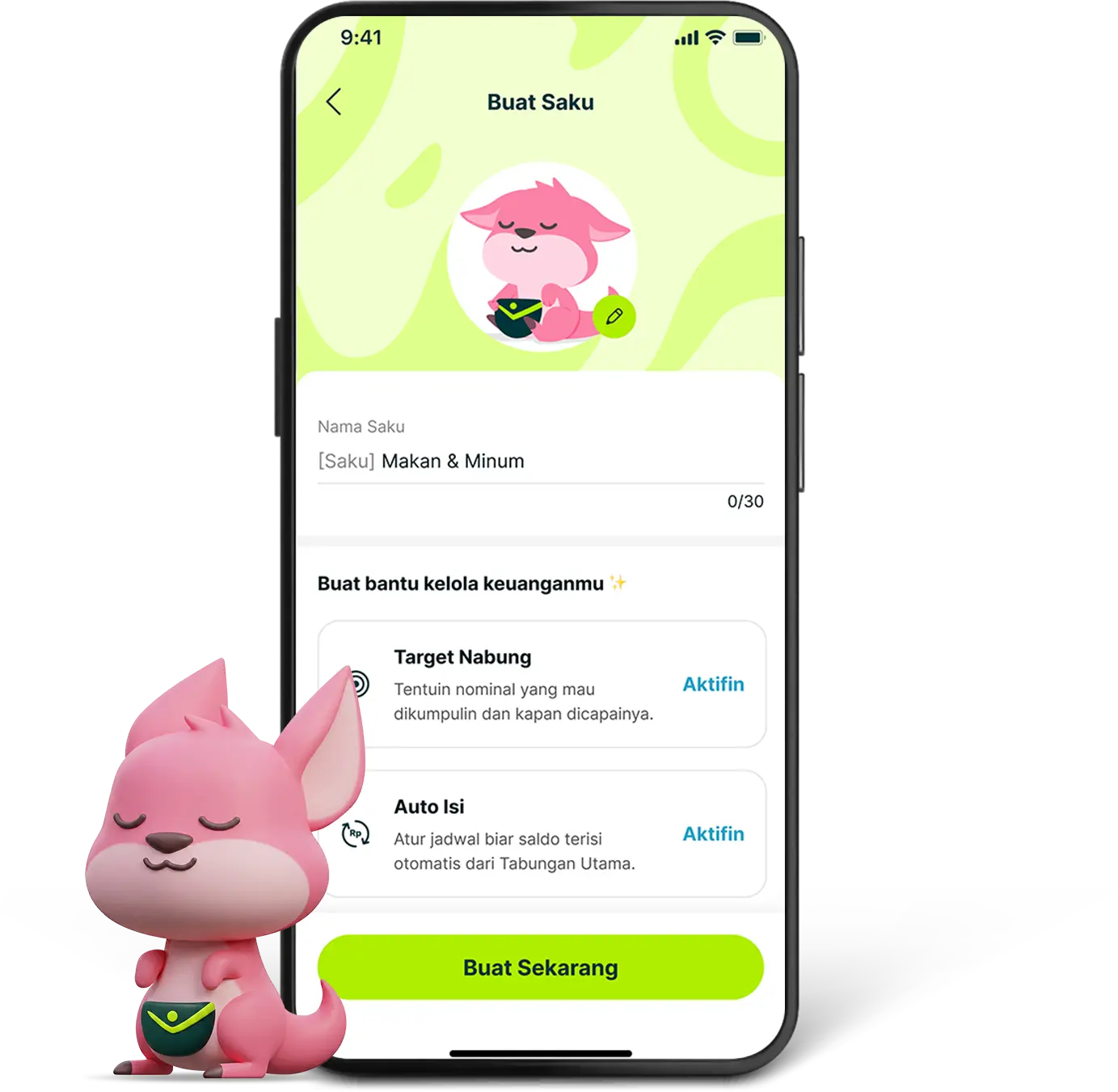
Want to try Saku`s latest features?
Make sure you have downloaded the latest version (minimum version v1.45) of Superbank apps to try all the latest features.
Start managing your finances in minutes. To create a new Saku, follow these steps:
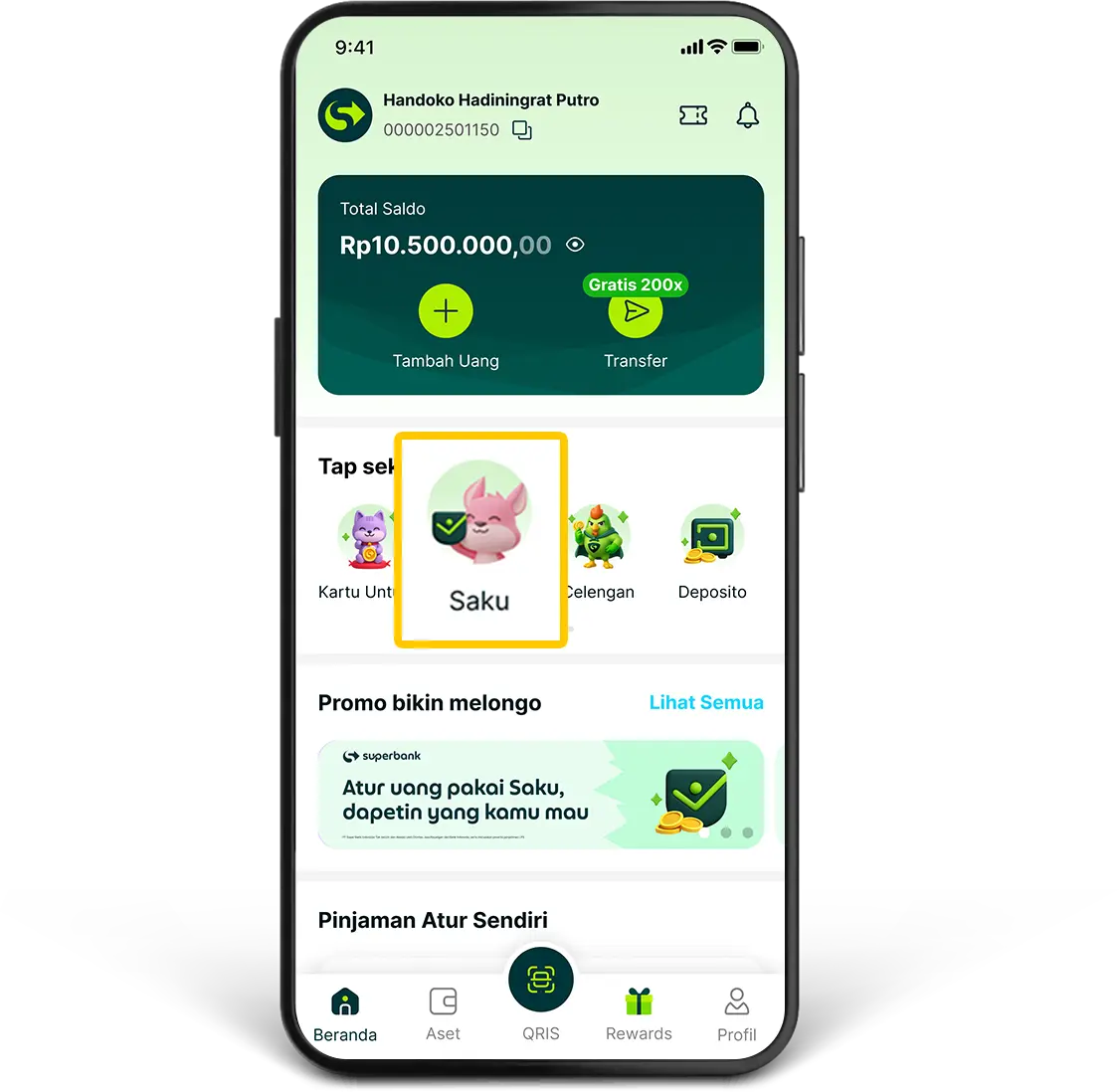
1. Go to the “Saku” menu on the main page.
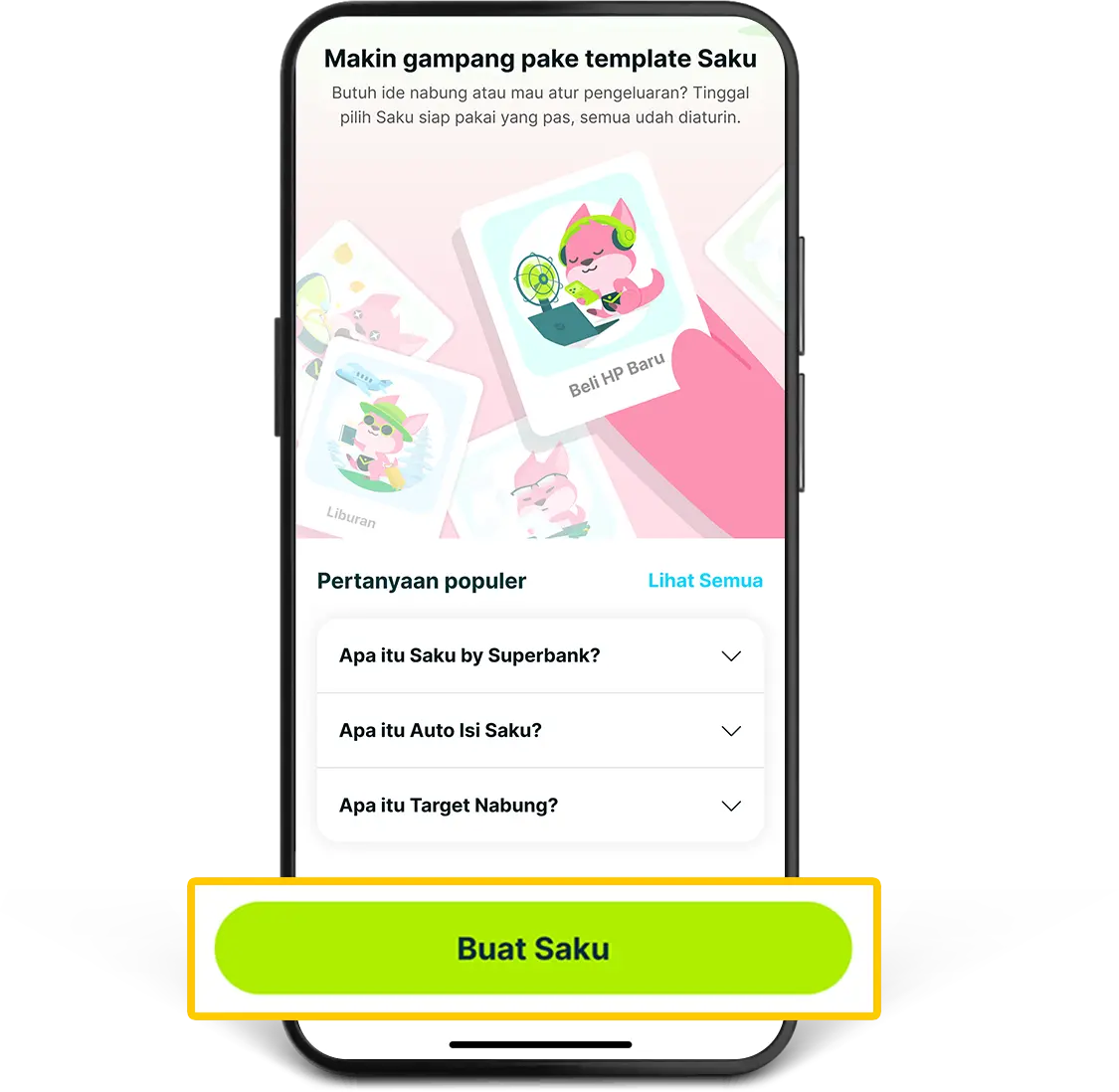
2. Click “Buat Saku”.
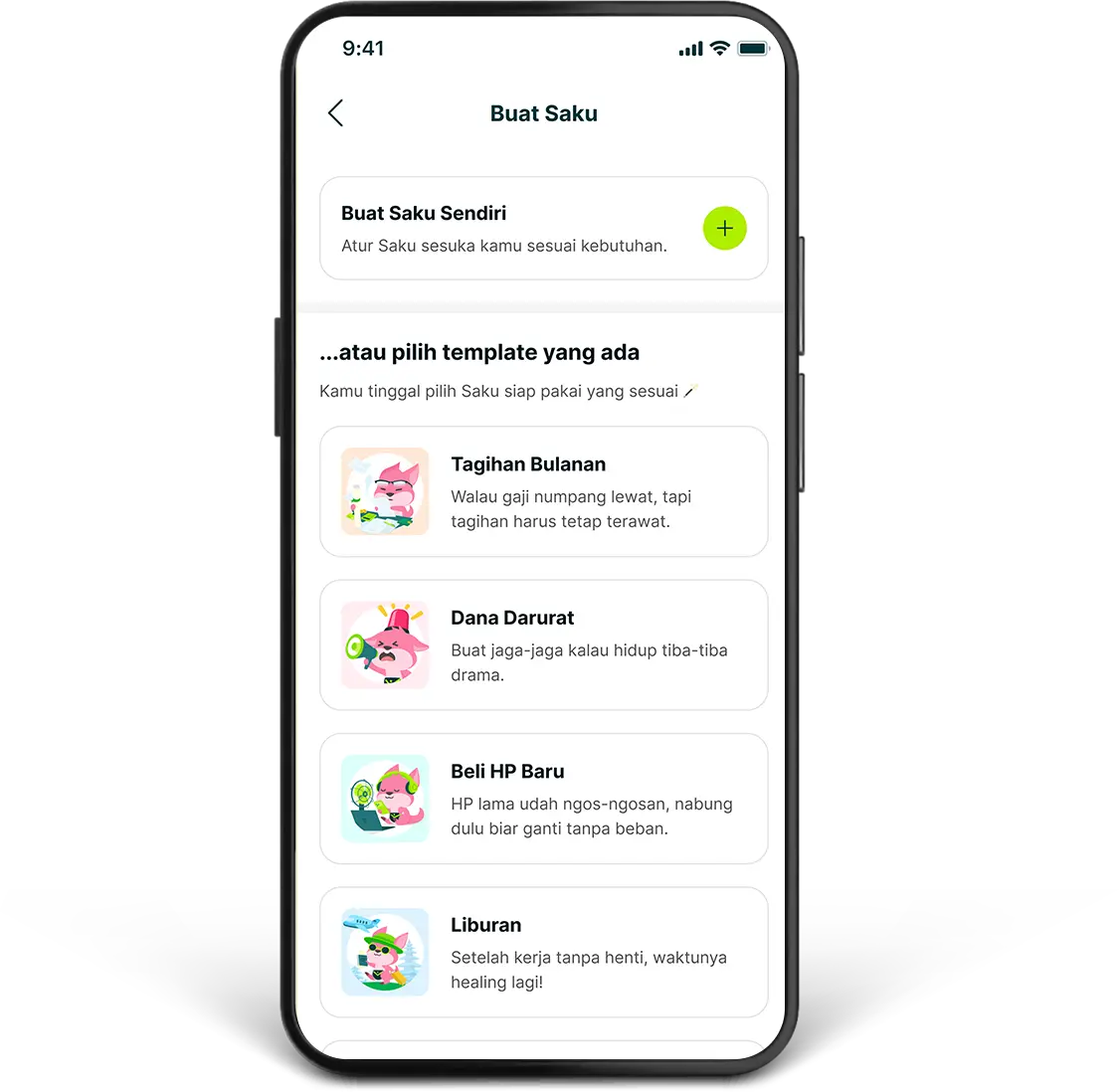
3. Select how to create a Saku, either by creating your own Saku or choosing from the available templates.
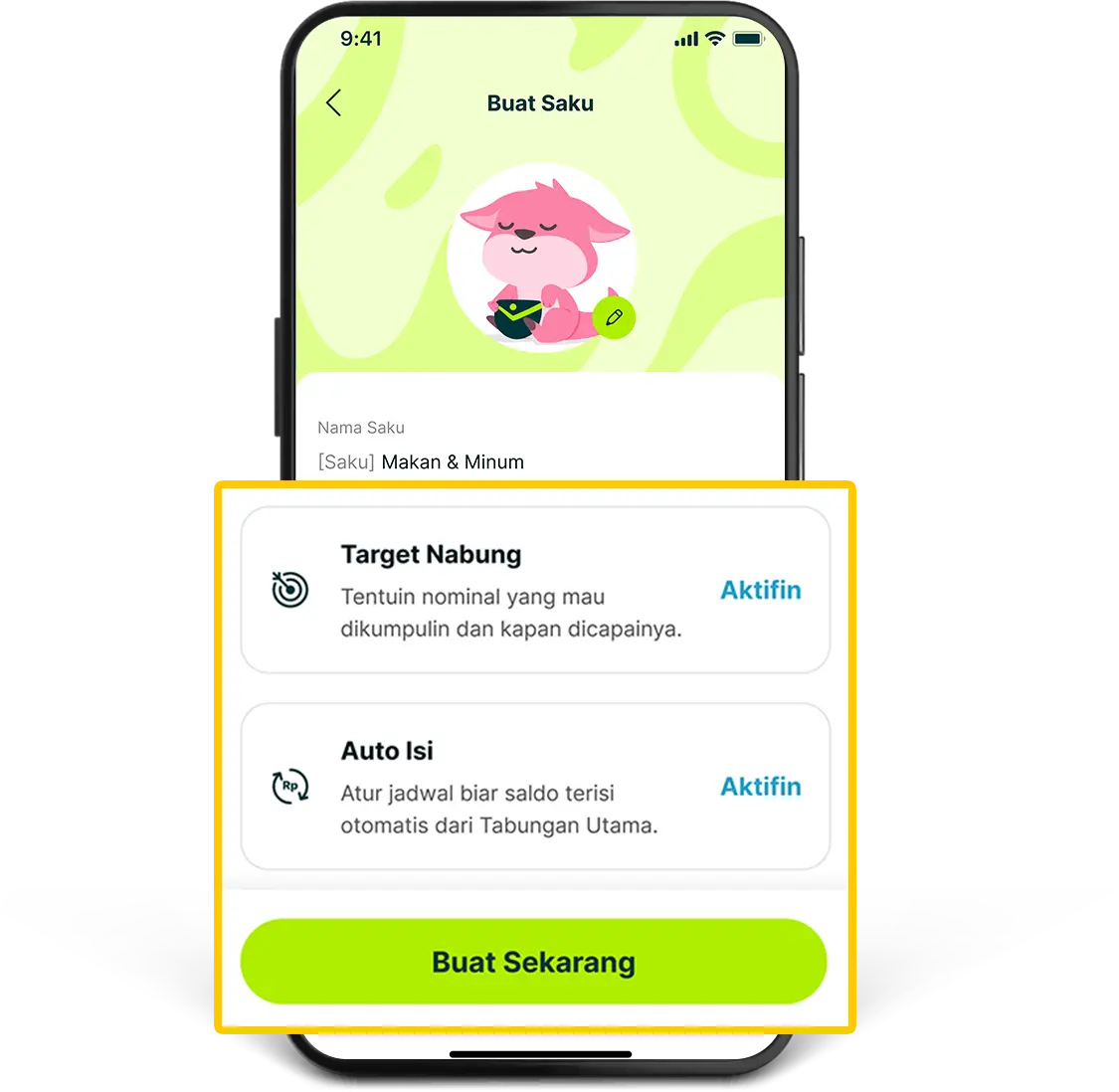
4. Personalize your Saku by entering a name according to your goal (for example: Vacation, Emergency Fund, or Monthly Coffee). You can also activate Target Nabung and Auto Isi to help reach your target, then click “Buat Sekarang”.
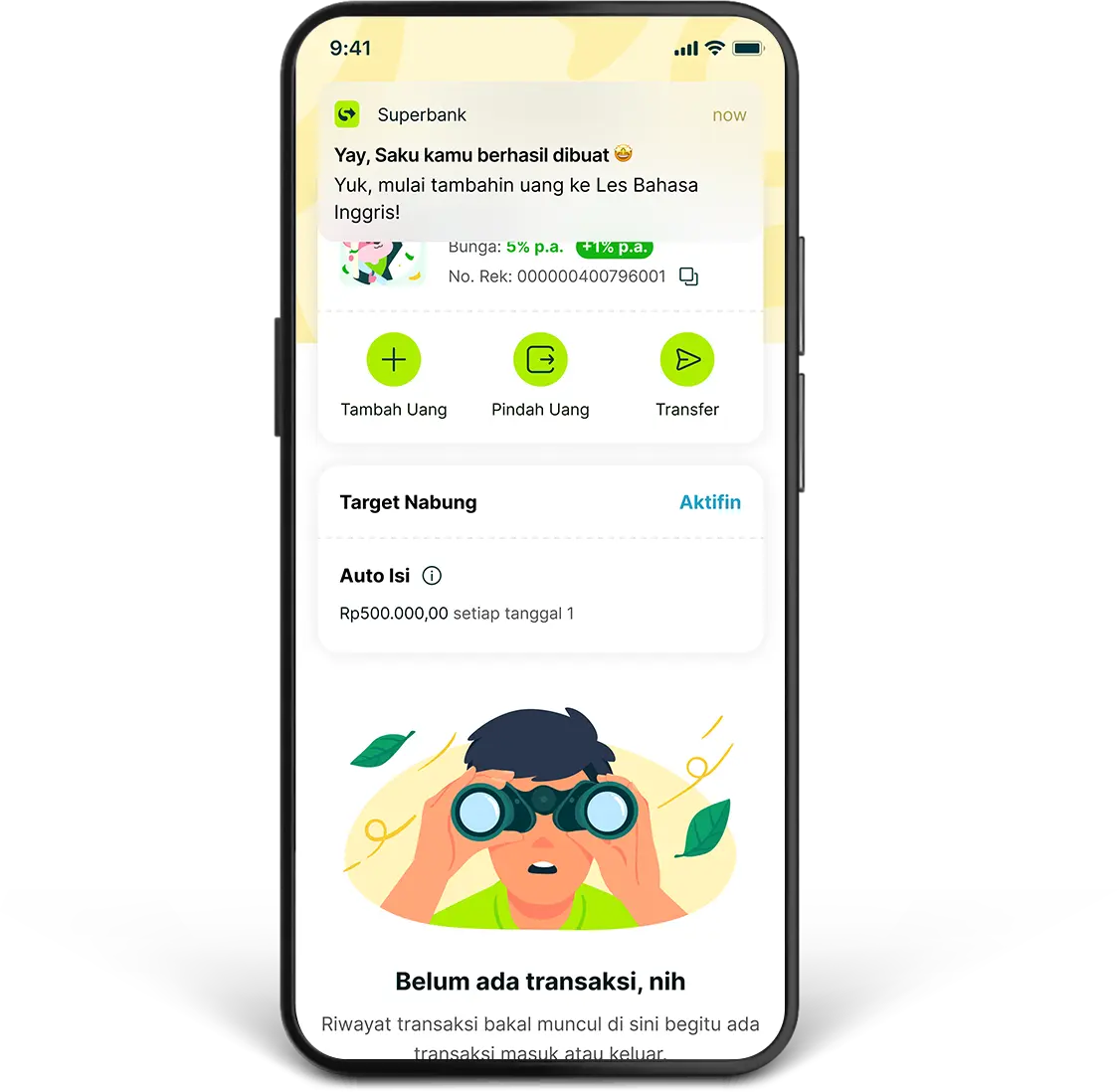
5. Your Saku is ready for use. Transfer the balance from your Main Savings Account to the Saku you created, and start managing your finances more neatly.
Set up your Saku according to your needs and style. Here are the steps to change Saku settings:
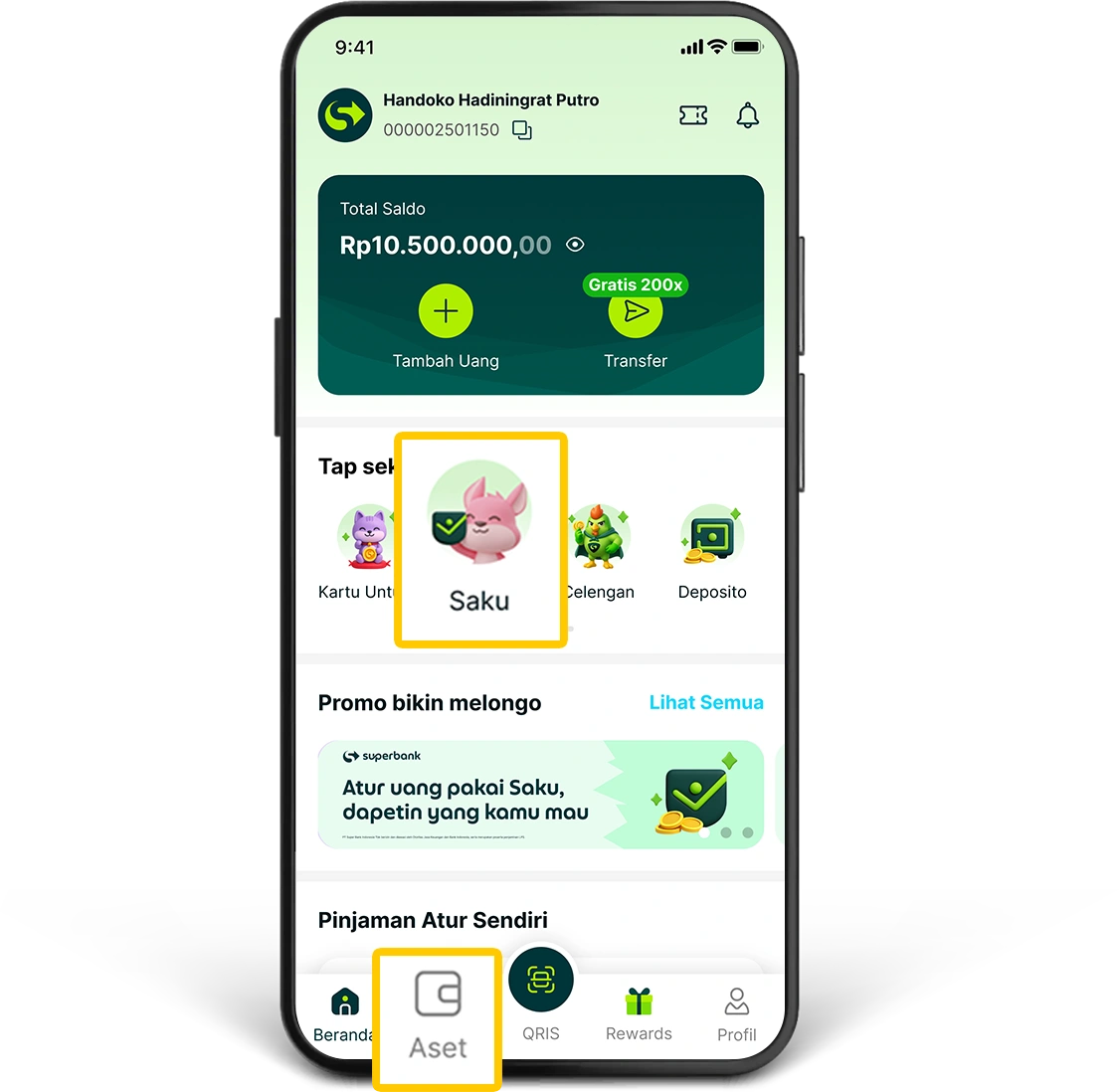
1. Go to the “Saku” menu on the main page or through the “Aset” menu.
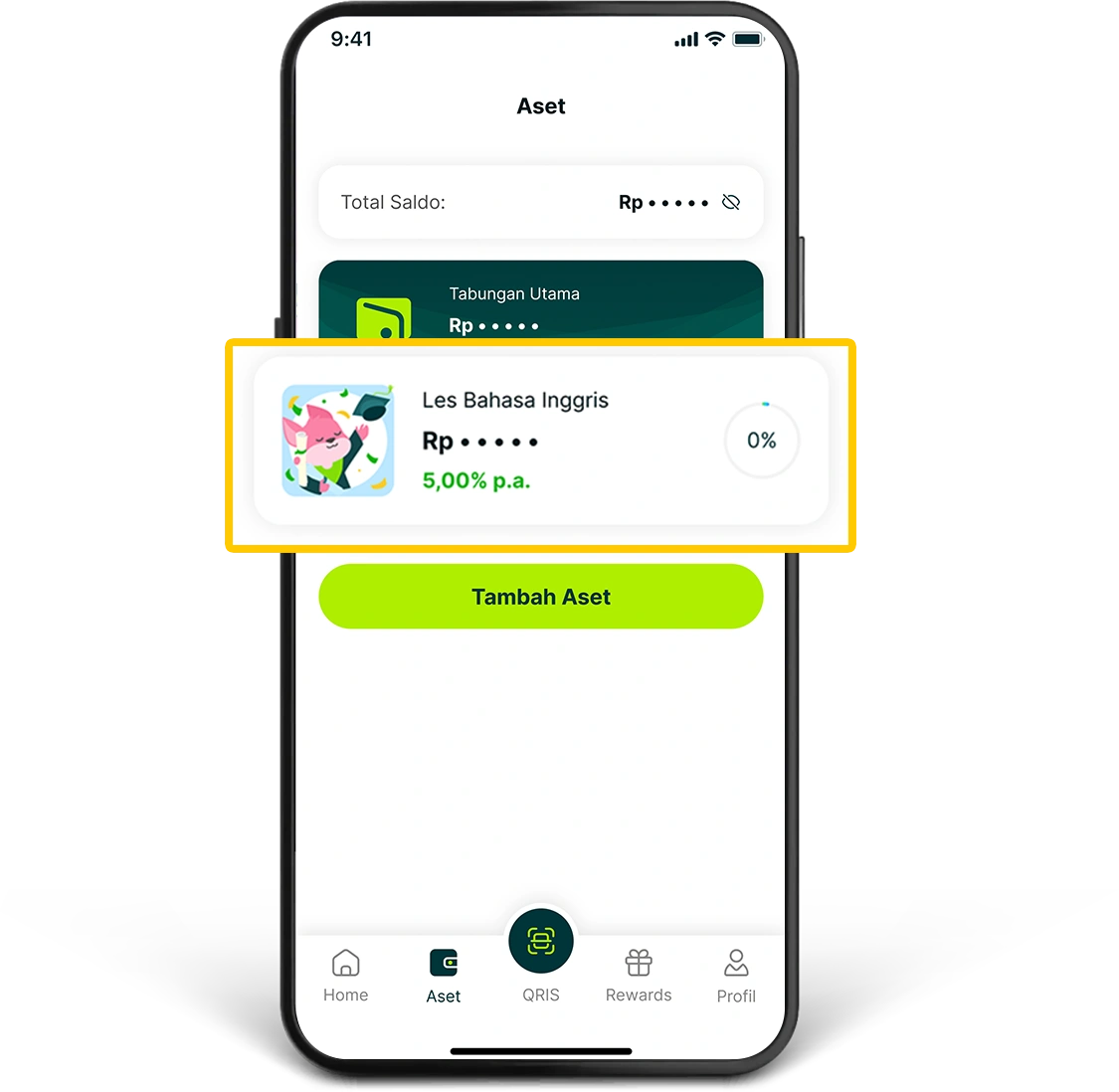
2. Select the Saku you want to personalize.
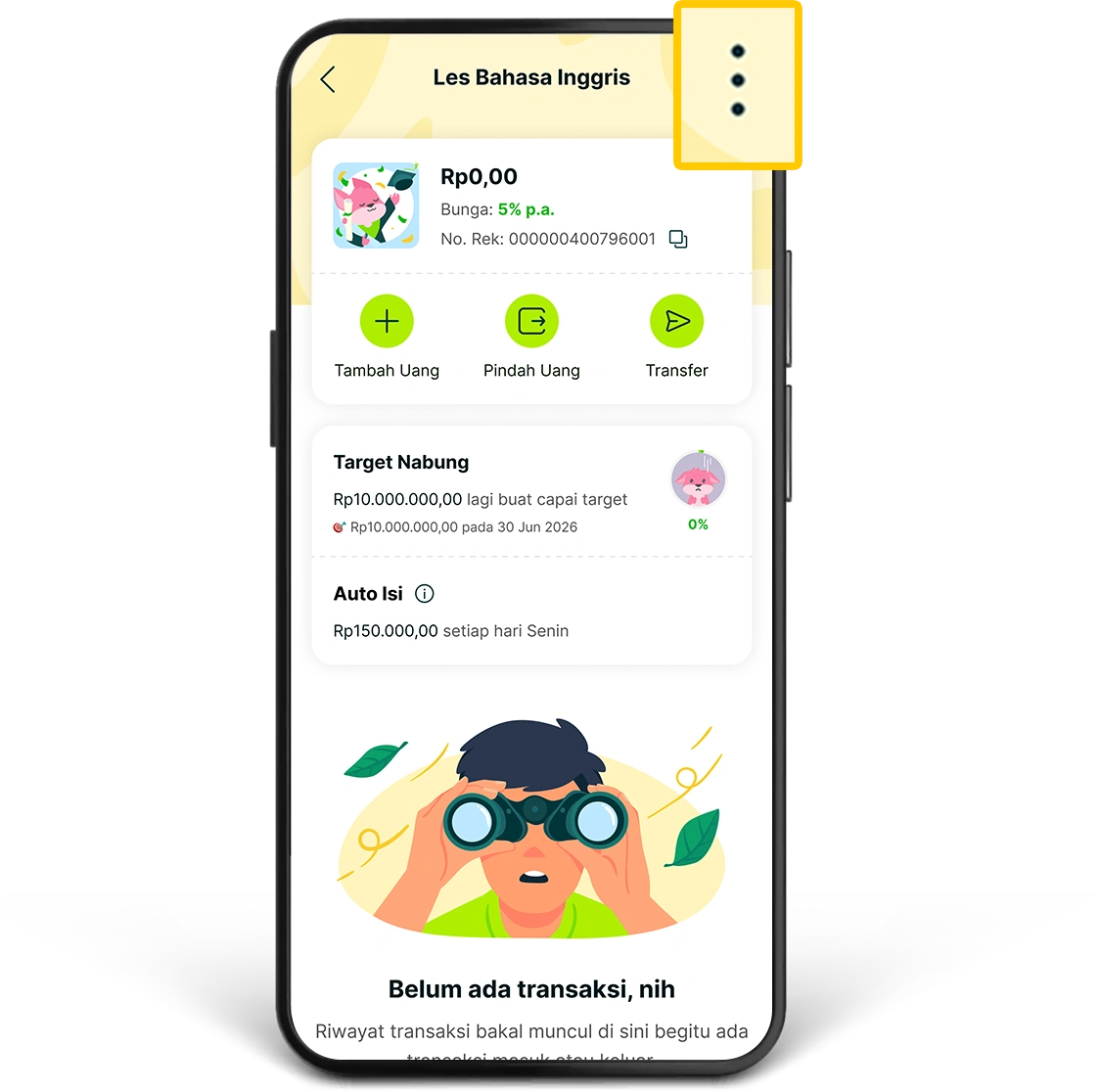
3. Click the three-dot icon (...) in the upper right corner of the Saku detail page.
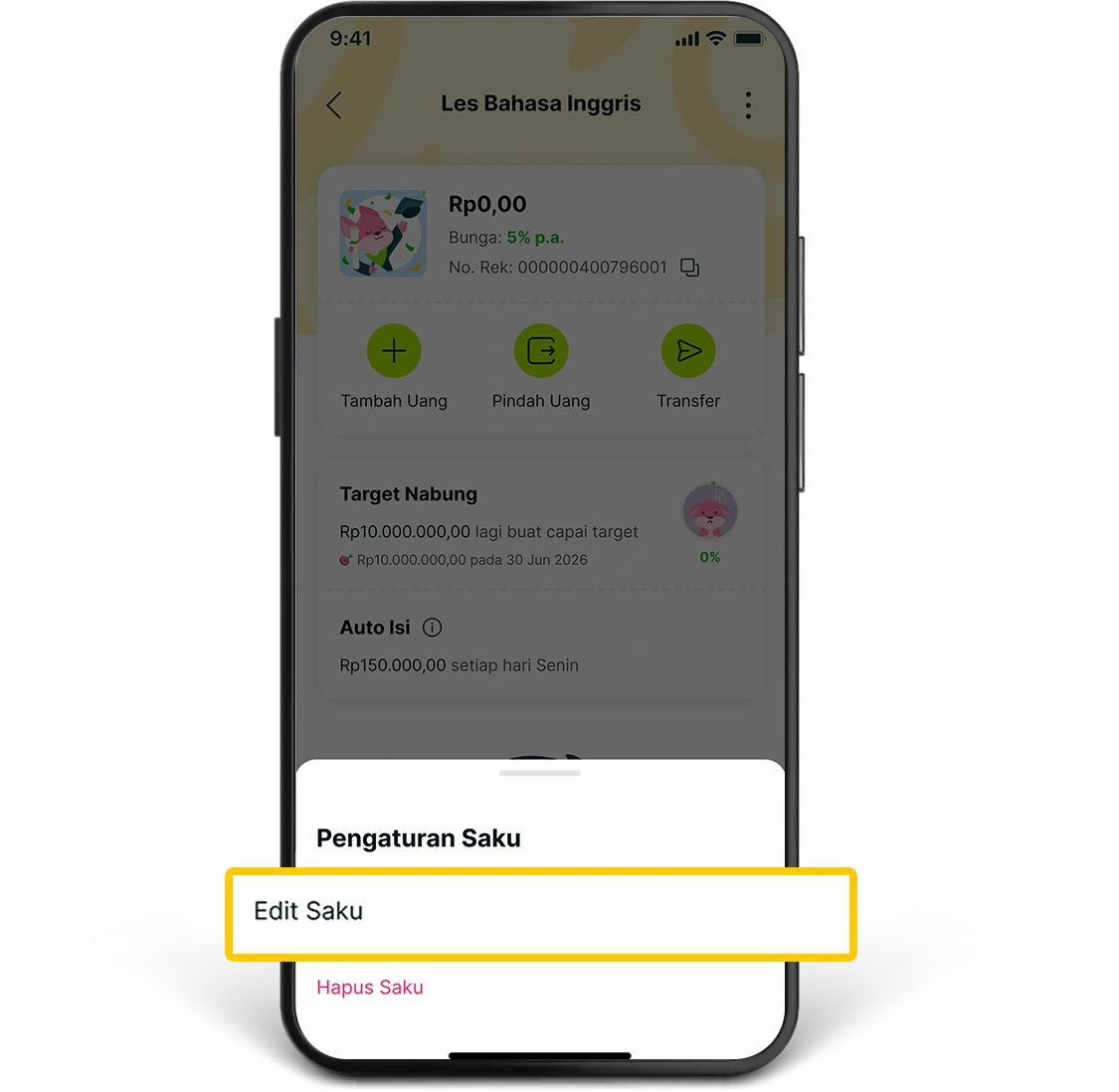
4. Select “Edit Saku”.
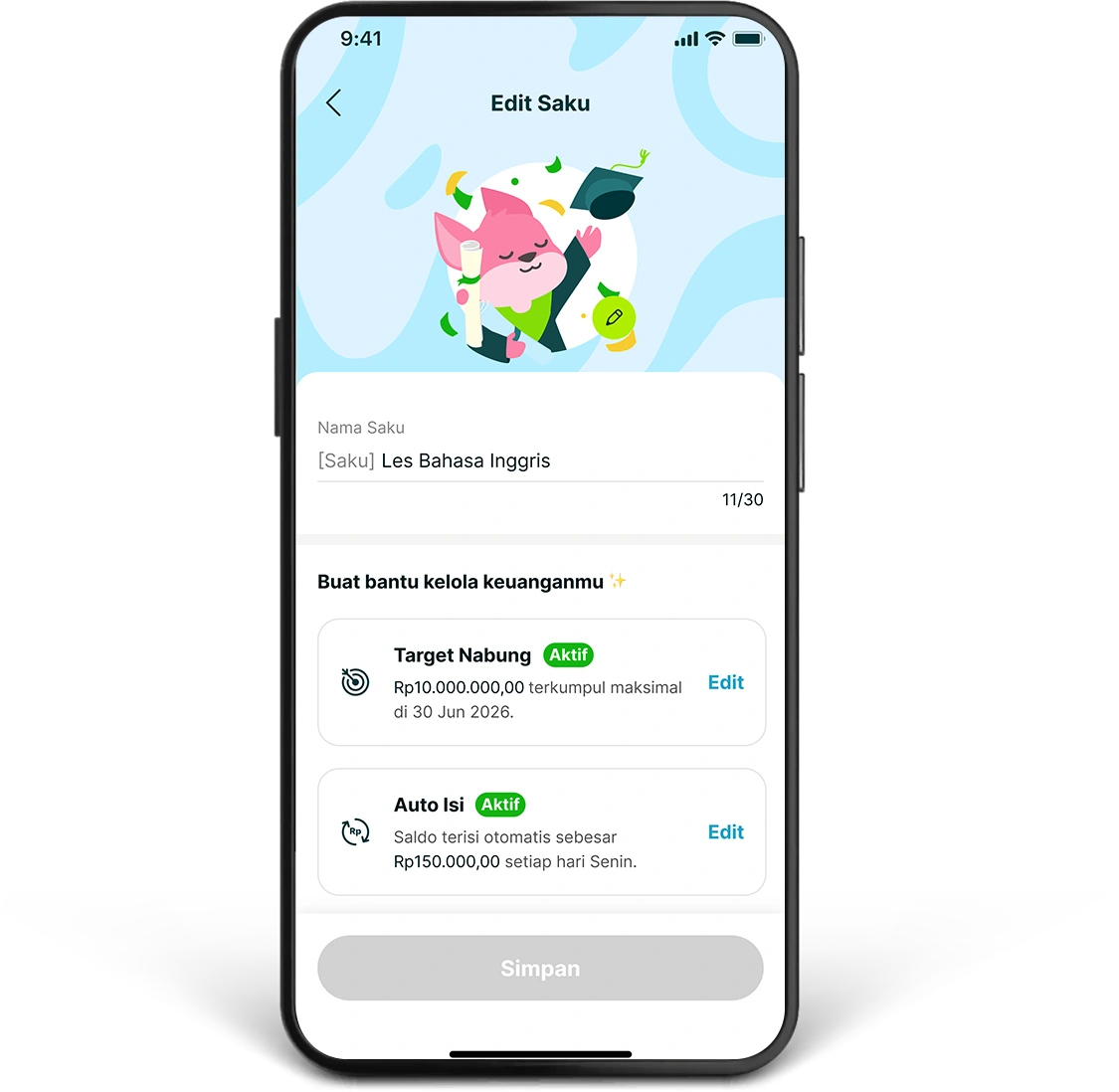
5. Tap “Nama Saku”, then enter the name you want. You can also adjust the settings for “Target Nabung” and “Auto Isi”, then click “Simpan”.
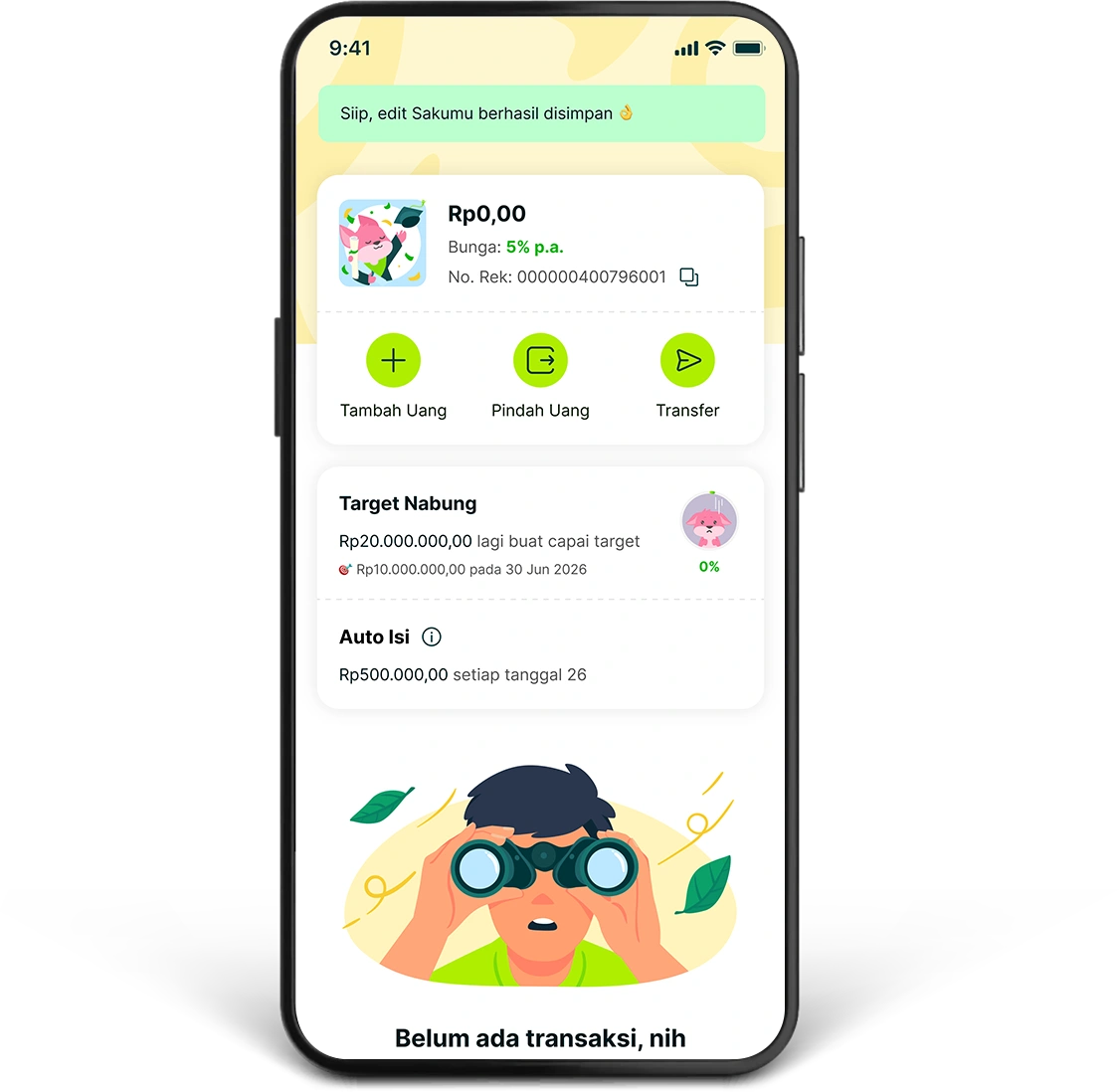
6. Your change has been successfully saved, and Saku is ready to be used according to your needs.
Activate Target Nabung in your Saku to help you achieve your savings goal with more direction. You can activate Target Nabung starting from IDR1,000. Here is how to set it up:
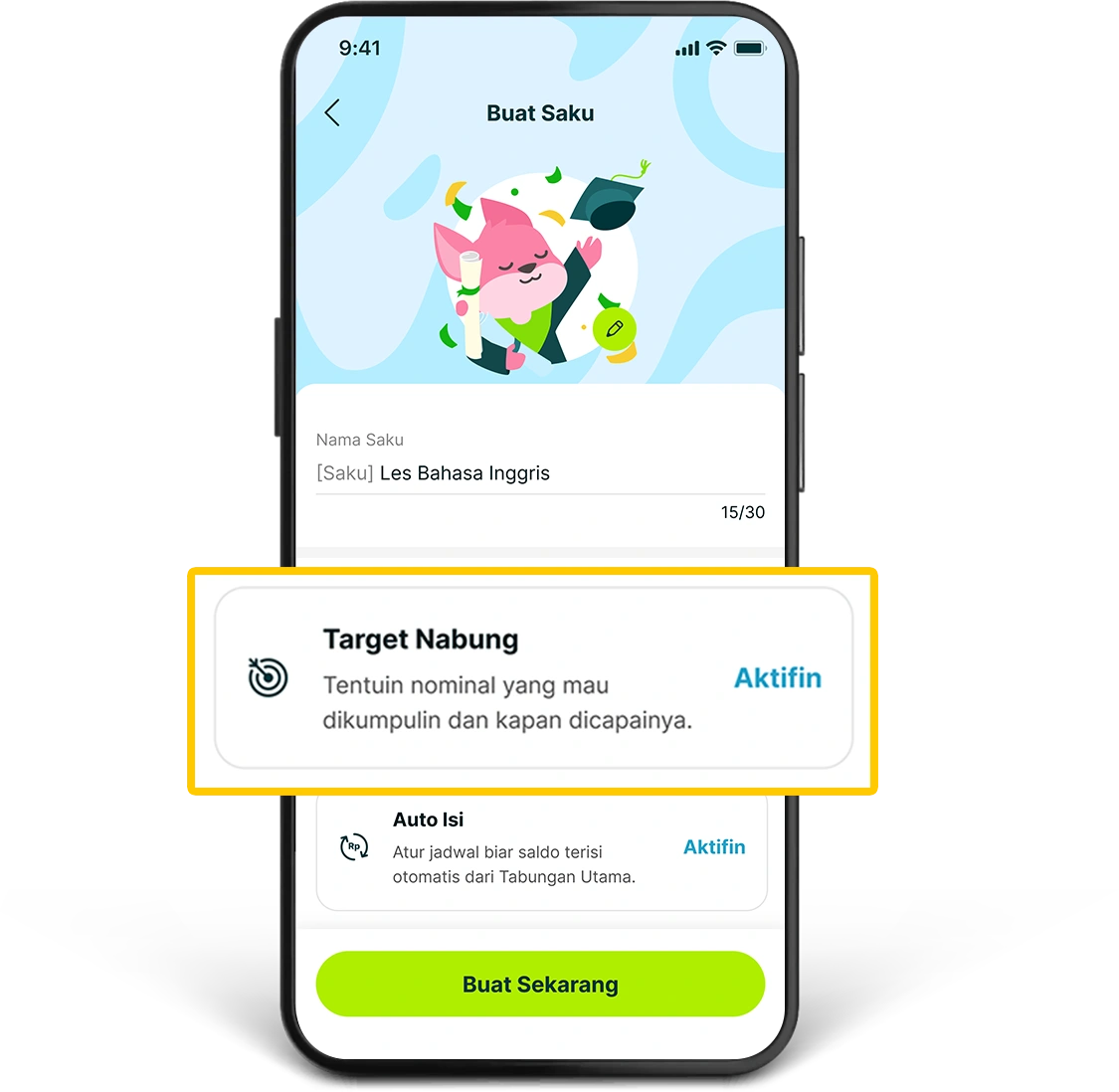
1. Activate Target Nabung when creating a Saku, or through the Edit Saku menu for an existing Saku.
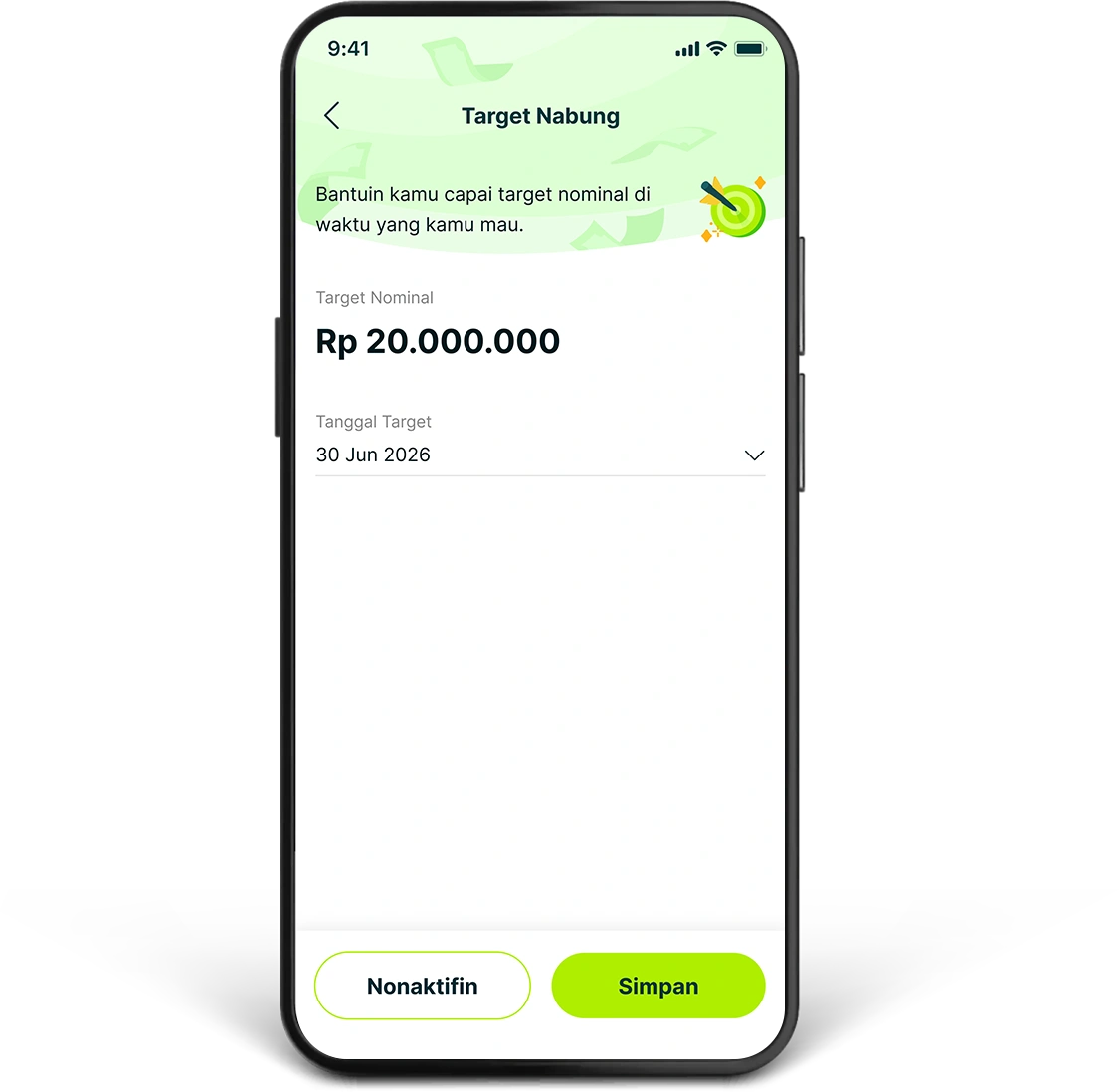
2. Enter the “Target Amount” you want to achieve and select the “Tanggal Target”, then click “Simpan”. You can also activate Auto Isi so that your target is easier to reach.
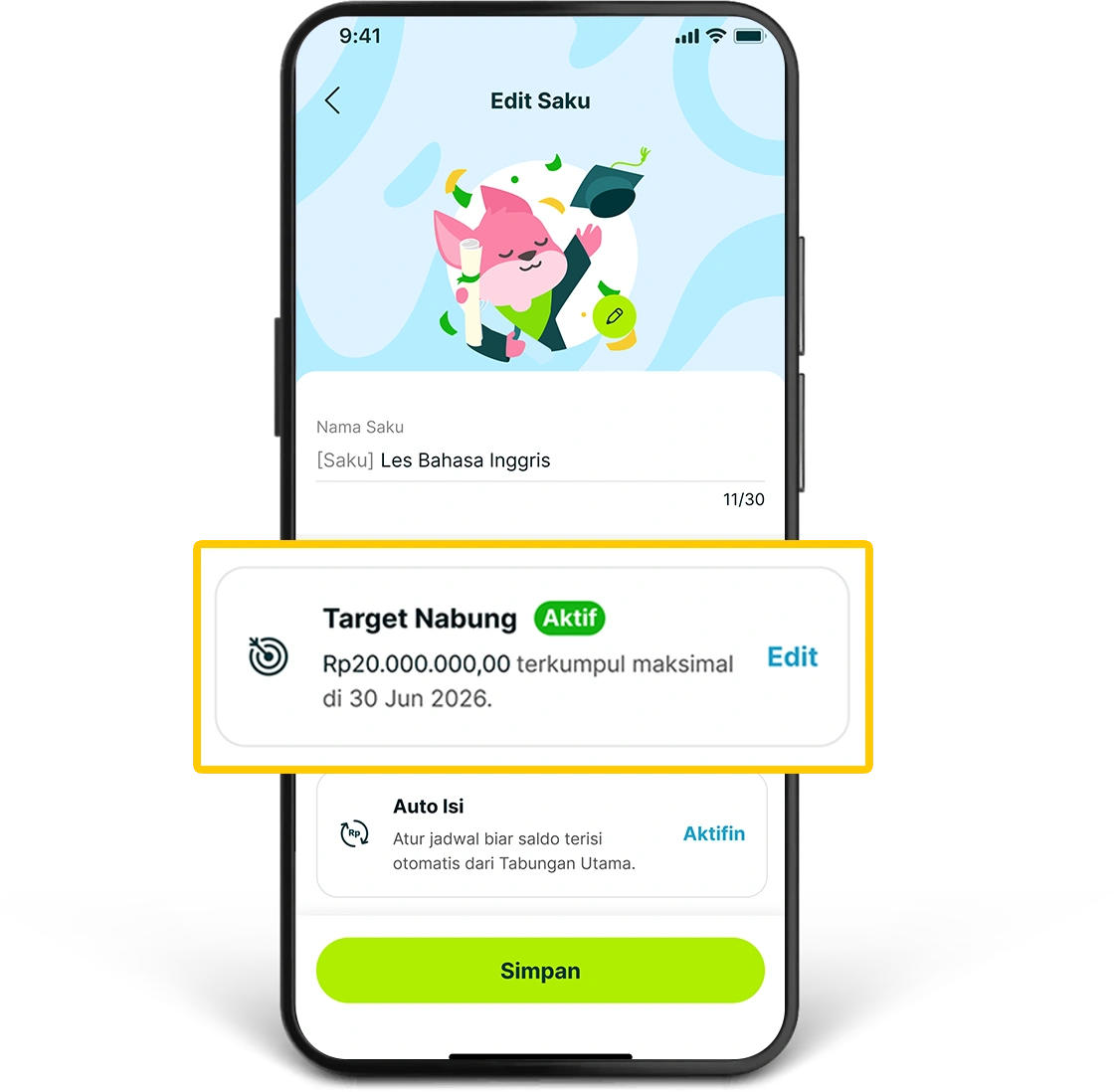
3. Your Target Nabung (Savings Target) will be active and stored in that Saku. If you are creating a new Saku, click “Buat Sekarang” to complete the process.
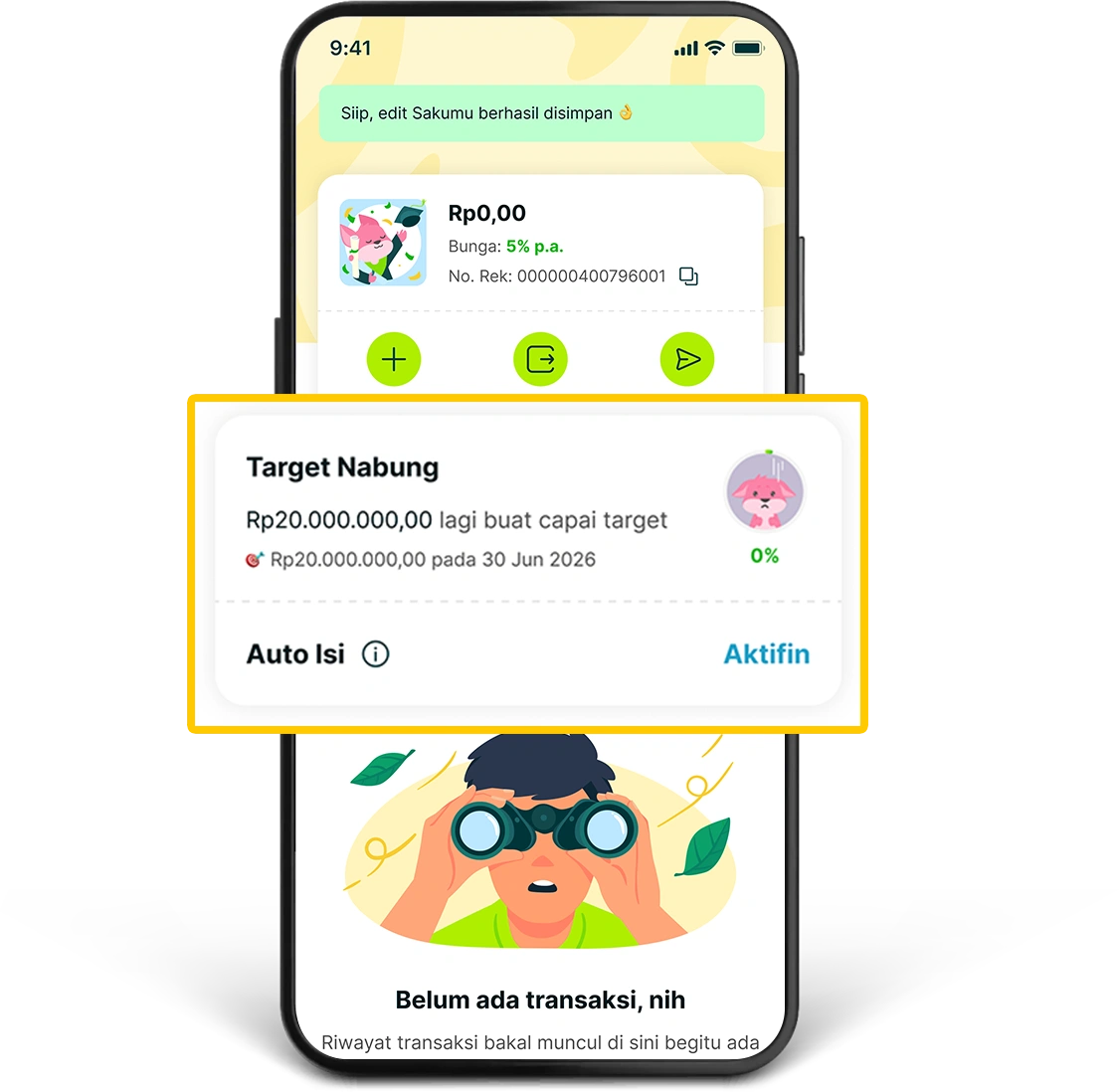
4. Saku is ready to be used with the Target Nabung that you have set.
Set up a schedule so that your Saku balance is automatically filled from your Main Savings Account. You can start saving with Auto Isi starting from IDR1,000. Here is how to set it up:
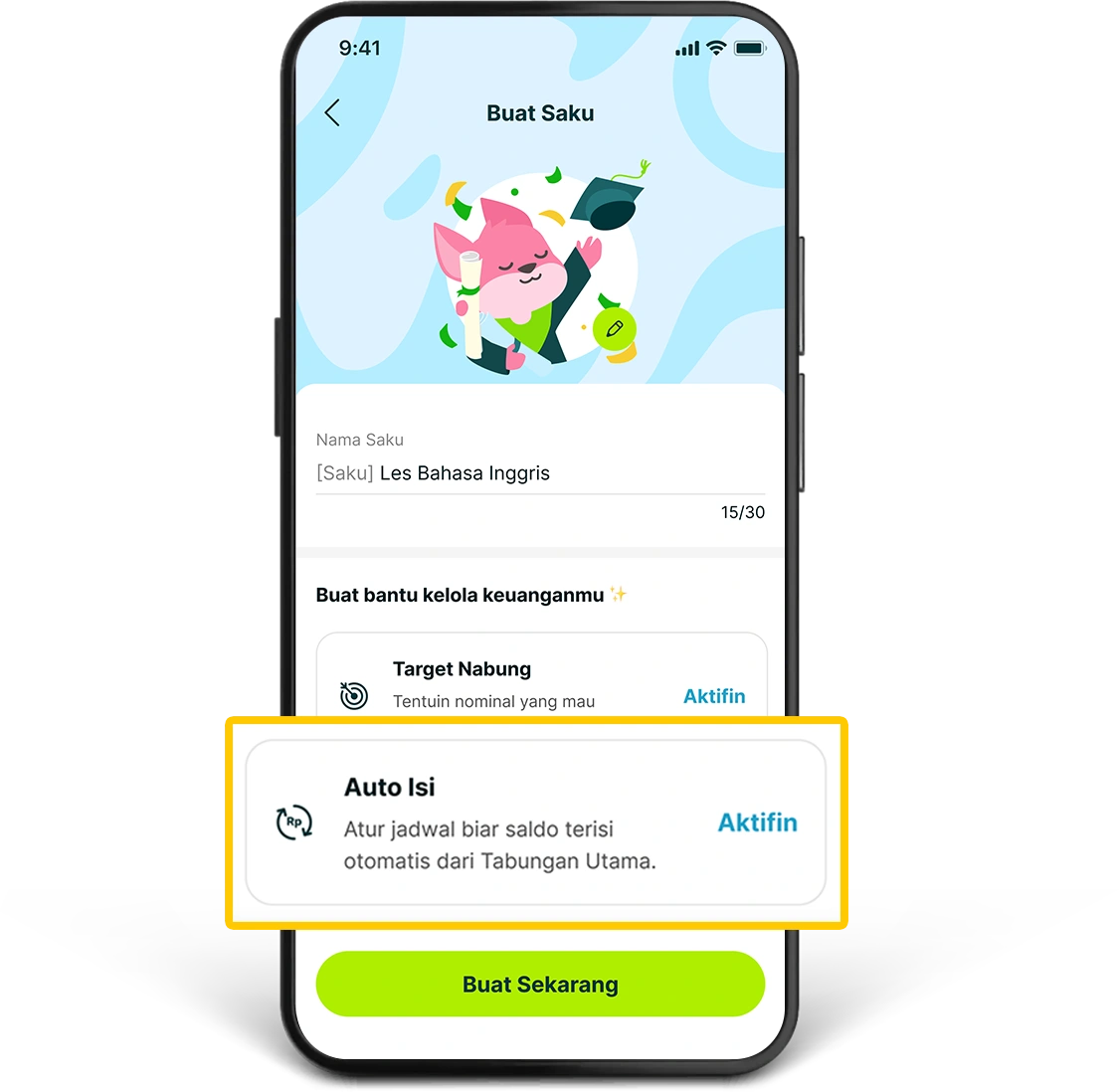
1. Activate Auto Isi when creating a Saku, or through the Edit Saku menu for an existing Saku.
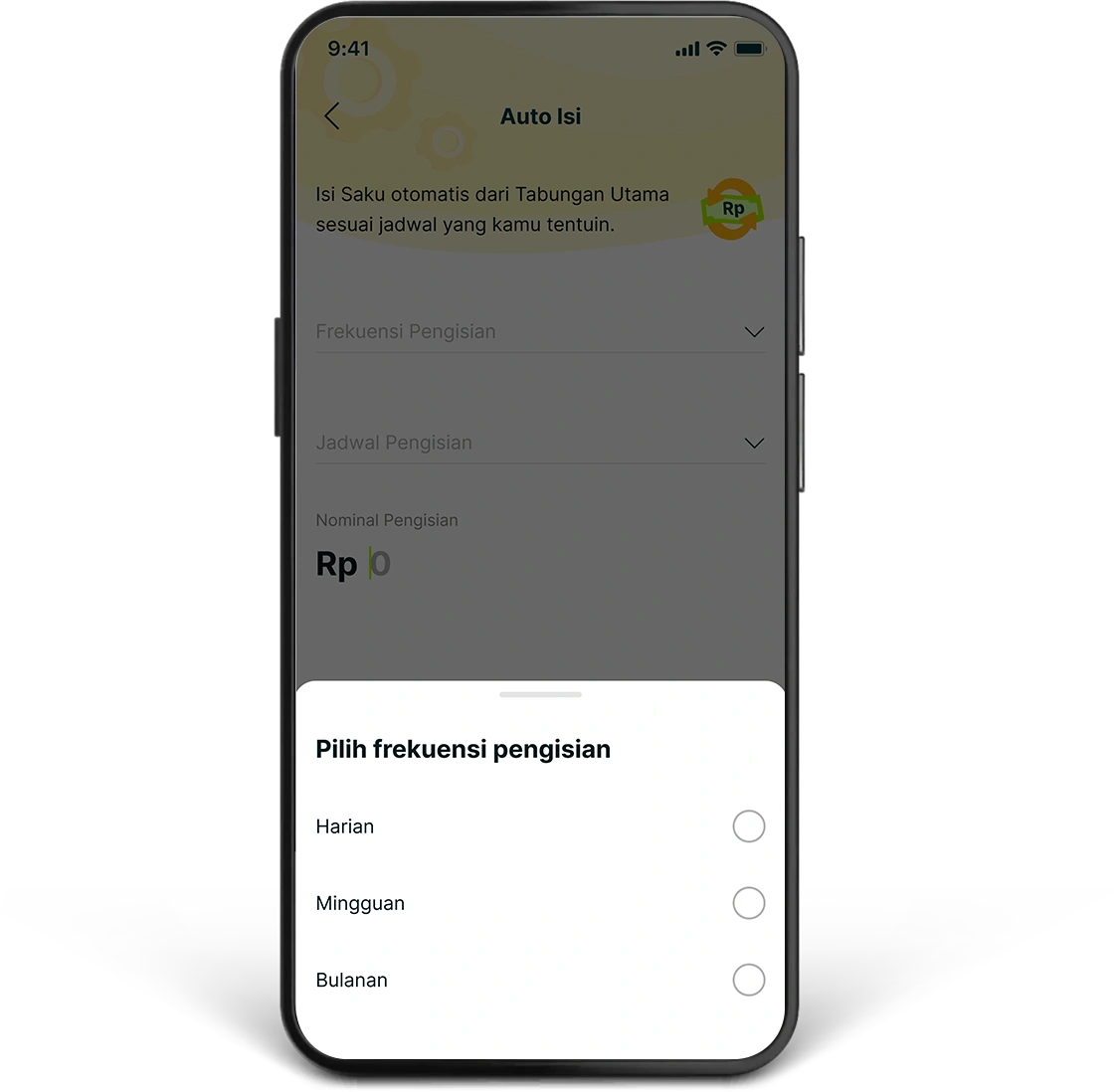
2. Select the payment frequency according to your needs.
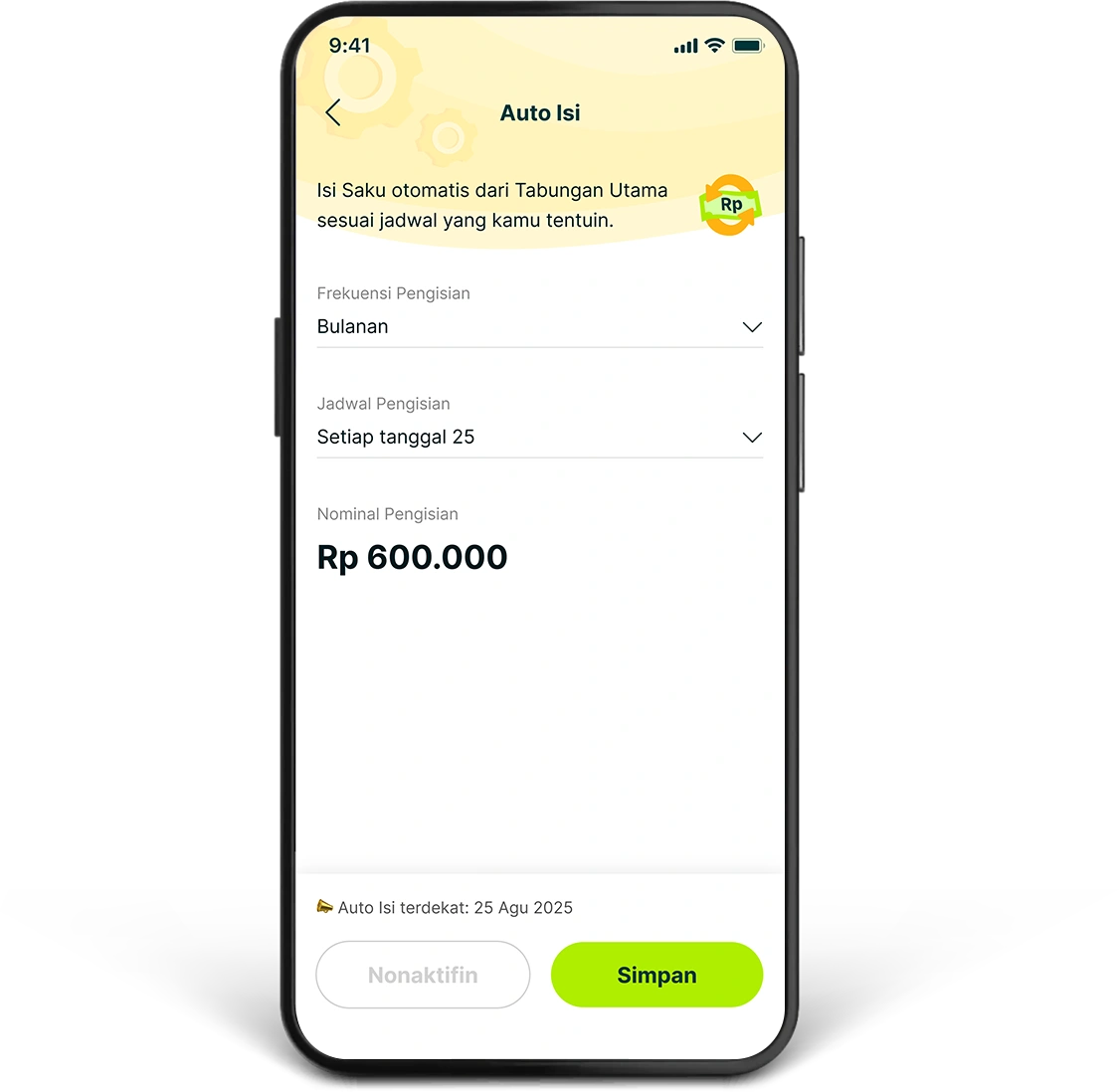
3. Enter the “Tanggal” and “Nominal” of the deposit, then click “Simpan”. You can also activate Target Nabung so that your Saku is more focused.
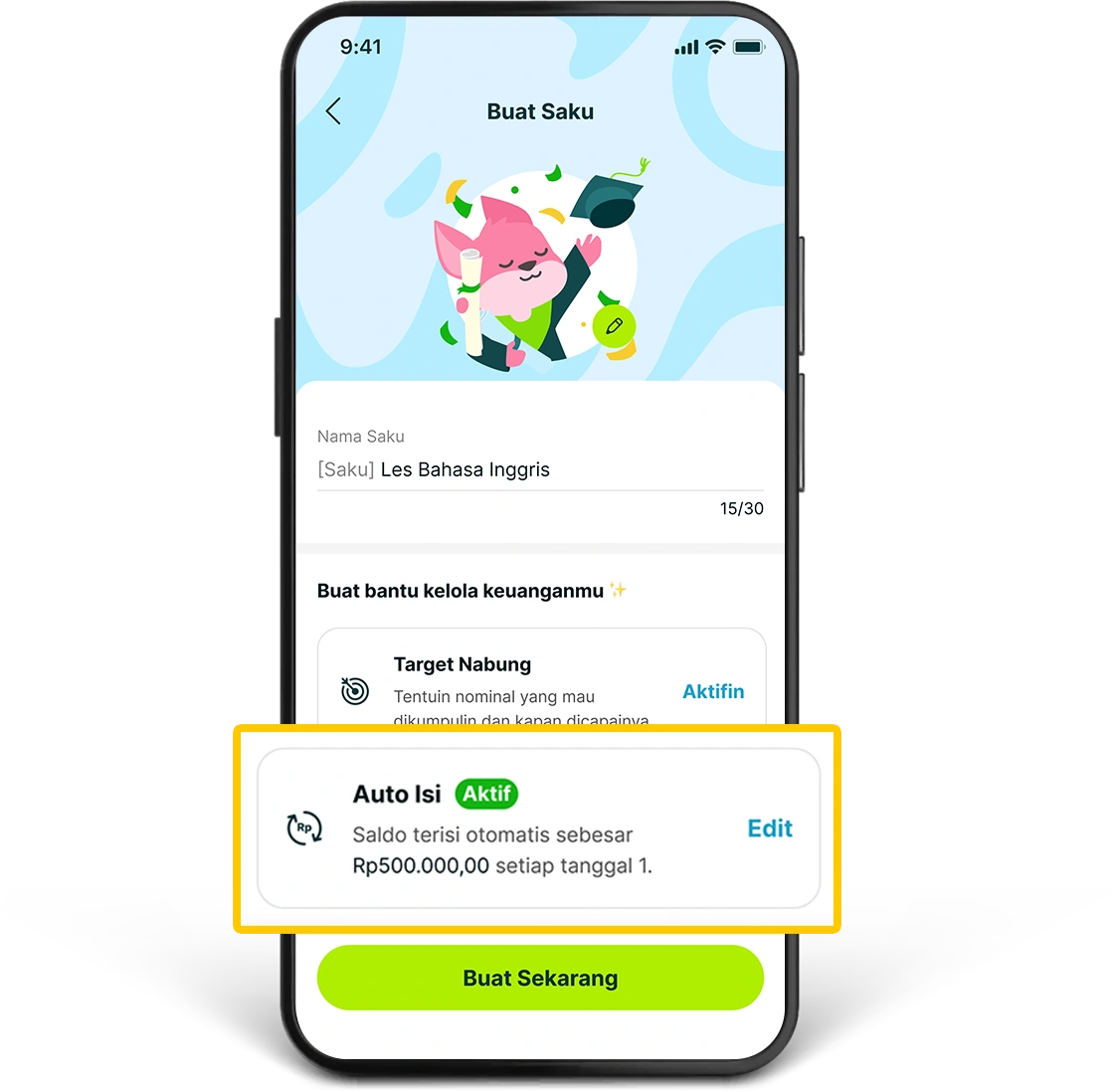
4. Auto Isi will be active and stored in that Saku. If you are creating a new Saku, click “Buat Sekarang” to complete the process.
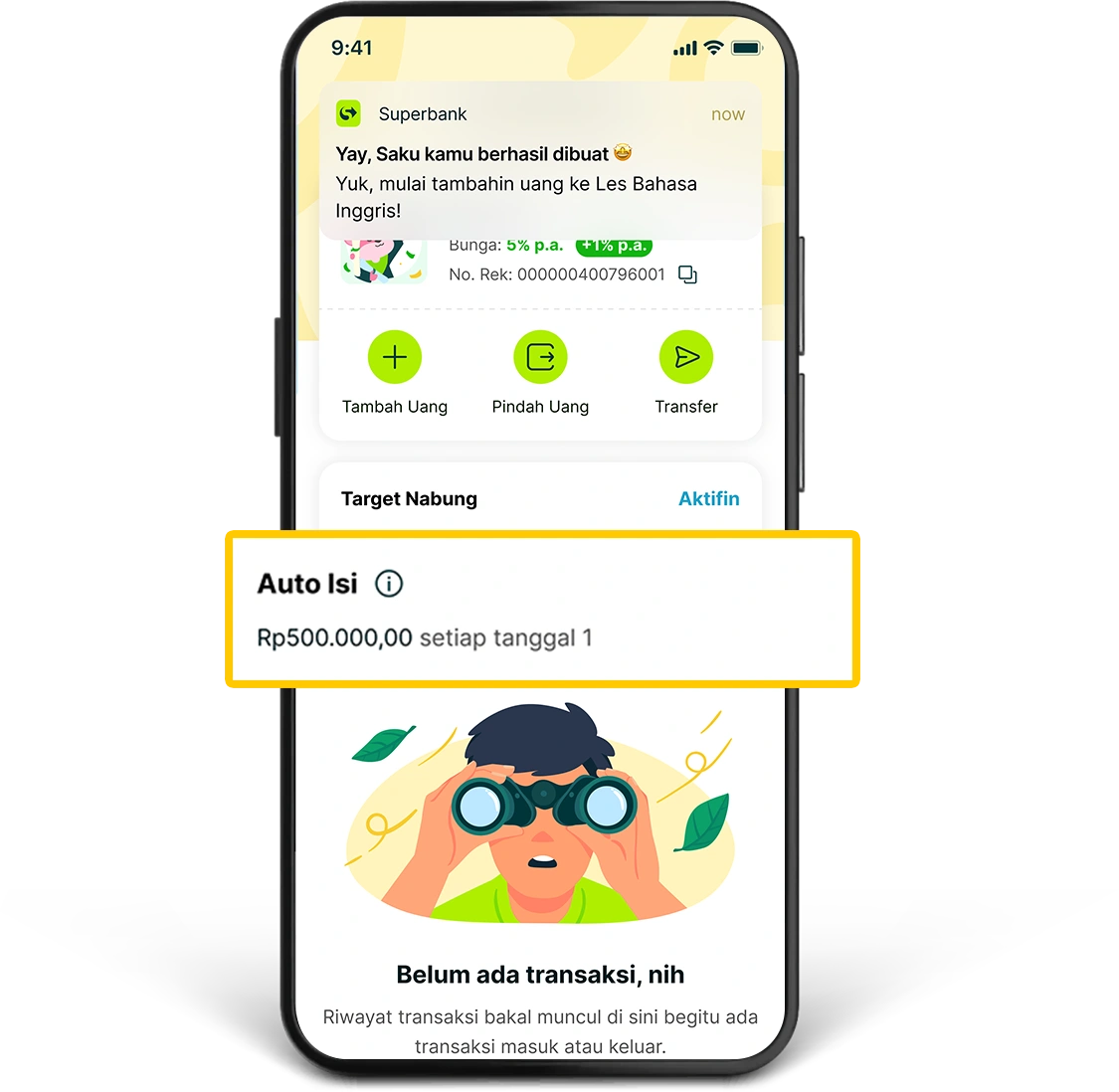
5. Your Saku is ready to be used with the Auto Isi schedule that you have set.